Let go of your hate

By Kylostark85

Normal Deck

0

$141.12

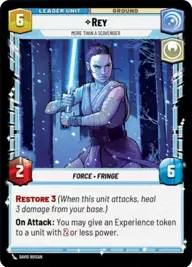
Rey, More Than A Scavenger

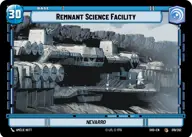
Remnant Science Facility

Decklist


Try on ForceTable

Try on Karabast

Print Proxies

Export to TTS

Export to image

Ground units (42)

3 x
2
Kuil, I have spoken
3 x
2
Yaddle, A chance to make things right
2 x
2
Cassian Andor, Lay Low
3 x
2
Lobot, Cloud City Coordinator
2 x
2
Zam Wesell, Inconspicuous Assassin
3 x
3
Village Protectors
2 x
3
Yoda, Old Master
2 x
3
Watto, No Money, No Parts, No Deal
2 x
4
Dume, Redeem the Future
3 x
6
Obi-Wan Kenobi
2 x
6
Anakin Skywalker, Champion of Mortis
2 x
7
Luke Skywalker, Jedi Knight
2 x
7
Lando Calrissian, Trust Me
1 x
9
Bo-Katan Kryze, Alone

Space units (6)

2 x
5
Graceful Purrgil
3 x
8
Redemption, Medical Frigate

Events (18)

1 x
1
Emergency Powers
3 x
4
Vigilance
1 x
4
Fell the Dragon
1 x
6
Rival's Fall
1 x
7
Hyperspace Disaster
2 x
9
Nebula Ignition

Upgrades (6)

2 x
1
Nimble Prowess
2 x
3
Constructed Lightsaber

0 comments

You must be logged in to add comments.

Print Proxies

Here you can choose the format that the proxies should be printed in. Make sure to support your local game store!

Export to TTS

There are multiple ways to export to TTS. Here, we'll explain how they work and how you can use them.

1. Import as TTS object.

Download the JSON file using the following button. Place this file in your TTS Saved Objects folder. After this, you'll be able to spawn your deck in the Components UI.

Download saved object

2. Import within SWU mod.

Within some of the Star Wars Unlimited mods on TTS, you are able to import a deck by using the Deck Builder. You can import your deck by clicking on the buttom below to copy your json and then paste it in the Deck Builder to spawn your deck.

Copy to clipboard