Capital Ship-ish

By Zoltan

Normal Deck

0

$7.43

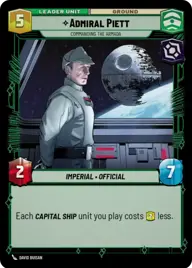
Admiral Piett, Commanding the Armada

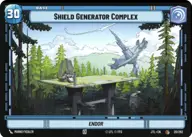
Shield Generator Complex

Decklist


Try on ForceTable

Try on Karabast

Print Proxies

Export to TTS

Export to image

Ground units (27)

2 x
2
Director Krennic, On the Verge of Greatness
2 x
2
Wingman Victor Two, Mauler Mithel
3 x
2
Lobot, Cloud City Coordinator
1 x
3
Wingman Victor Three, Backstabber
1 x
3
Sith Trooper
2 x
3
Superlaser Technician
2 x
3
Cloud City Wing Guard
1 x
4
Iden Versio, Adapt or die
2 x
4
Rotunda Senate Guards

Space units (45)

2 x
2
Onyx Squadron Brute
2 x
2
Kijimi Patrollers
2 x
3
Landing Shuttle
2 x
4
TIE Ambush Squadron
2 x
5
Dornean Gunship
2 x
5
MC30 Assault Frigate
2 x
5
Munificent Frigate
2 x
6
Resupply Carrier
2 x
6
CR90 Relief Runner
2 x
6
Quasar TIE Carrier
2 x
6
Chimaera, Reinforcing the Center
2 x
6
Gladiator Star Destroyer
1 x
7
Fleet Interdictor
2 x
7
Cantwell Arrestor Cruiser
1 x
11
Executor, Might of the Empire

Events (6)

3 x
2
Air Superiority
3 x
2
Evasive Maneuver

0 comments

You must be logged in to add comments.

Print Proxies

Here you can choose the format that the proxies should be printed in. Make sure to support your local game store!

Export to TTS

There are multiple ways to export to TTS. Here, we'll explain how they work and how you can use them.

1. Import as TTS object.

Download the JSON file using the following button. Place this file in your TTS Saved Objects folder. After this, you'll be able to spawn your deck in the Components UI.

Download saved object

2. Import within SWU mod.

Within some of the Star Wars Unlimited mods on TTS, you are able to import a deck by using the Deck Builder. You can import your deck by clicking on the buttom below to copy your json and then paste it in the Deck Builder to spawn your deck.

Copy to clipboard