All In (Space)

By SecondSun

Normal Deck

0

$83.04

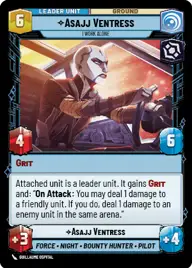
Asajj Ventress, I Work Alone

Energy Conversion Lab

Decklist


Try on ForceTable

Try on Karabast

Print Proxies

Export to TTS

Export to image

Ground units (15)

3 x
2
Lobot, Cloud City Coordinator
3 x
3
Superlaser Technician
3 x
3
Oggdo Bogdo, Bogano Brute
3 x
3
Axe Woves, Accomplished Warrior
3 x
6
Darth Vader, Twilight of the Apprentice

Space units (21)

3 x
2
Inferno Four, Unforgetting
3 x
2
Onyx Squadron Brute
3 x
2
TIE Bomber
2 x
4
Scimitar, Sith Infiltrator
1 x
4
Fett's Firespray, Feared Silhouette
3 x
5
Devastating Gunship
2 x
5
MC30 Assault Frigate

Events (12)

3 x
1
Emergency Powers
3 x
2
Covering the Wing
3 x
3
Power of the Dark Side
3 x
5
Overwhelming Barrage

Upgrades (9)

3 x
1
Nimble Prowess
1 x
3
Condemn
2 x
5
Craving Power

0 comments

You must be logged in to add comments.

Print Proxies

Here you can choose the format that the proxies should be printed in. Make sure to support your local game store!

Export to TTS

There are multiple ways to export to TTS. Here, we'll explain how they work and how you can use them.

1. Import as TTS object.

Download the JSON file using the following button. Place this file in your TTS Saved Objects folder. After this, you'll be able to spawn your deck in the Components UI.

Download saved object

2. Import within SWU mod.

Within some of the Star Wars Unlimited mods on TTS, you are able to import a deck by using the Deck Builder. You can import your deck by clicking on the buttom below to copy your json and then paste it in the Deck Builder to spawn your deck.

Copy to clipboard