Lando Red

By Zypher

Normal Deck

0

$22.00

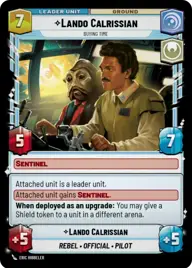
Lando Calrissian, Buying Time

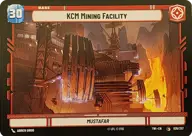
KCM Mining Facility

Decklist


Try on ForceTable

Try on Karabast

Print Proxies

Export to TTS

Export to image

Ground units (42)

2 x
1
Soldier of the 501st
1 x
2
Adi Gallia, Stern and Focused
1 x
2
Ketsu Onyo, Old Friend
2 x
2
Sabine Wren, Explosives Artist
1 x
2
Frisk, Vanguard Loudmouth
2 x
3
L3-37, Get out of my seat
3 x
3
Fleet Lieutenant
2 x
3
Dilapidated Ski Speeder
2 x
3
Biggs Darklighter, They'll never stop us
2 x
3
Village Protectors
2 x
4
Perimeter AT-RT
2 x
4
K-2SO
2 x
6
War Juggernaut
1 x
9
Krayt Dragon

Space units (27)

2 x
2
Green Squadron A-Wing
3 x
3
Concord Dawn Interceptors
2 x
3
Red Five, Running the Trench
1 x
5
Senatorial Corvette
1 x
5
Blockade Runner
1 x
5
Tactical Heavy Bomber
3 x
6
Red Squadron Y-Wing
1 x
6
Gold Leader, Fastest Ship in the Fleet
1 x
6
CR90 Relief Runner

Events (15)

2 x
2
Stay on Target
3 x
3
Open Fire
2 x
4
Pillage
2 x
5
Bravado
1 x
6
Rival's Fall

0 comments

You must be logged in to add comments.

Print Proxies

Here you can choose the format that the proxies should be printed in. Make sure to support your local game store!

Export to TTS

There are multiple ways to export to TTS. Here, we'll explain how they work and how you can use them.

1. Import as TTS object.

Download the JSON file using the following button. Place this file in your TTS Saved Objects folder. After this, you'll be able to spawn your deck in the Components UI.

Download saved object

2. Import within SWU mod.

Within some of the Star Wars Unlimited mods on TTS, you are able to import a deck by using the Deck Builder. You can import your deck by clicking on the buttom below to copy your json and then paste it in the Deck Builder to spawn your deck.

Copy to clipboard