Never tell me the odds

By maulin

Normal Deck

0

$7.31

Mother Talzin, Power Through Magick

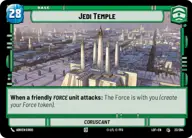
Jedi Temple

Decklist


Try on ForceTable

Try on Karabast

Print Proxies

Export to TTS

Export to image

Ground units (42)

2 x
2
Guardian of the Whills
3 x
2
Karis, We don't like strangers
1 x
2
Nightsister Warrior
2 x
2
Secretive Sage
2 x
2
Sith Legionnaire
2 x
3
Fallen Jedi
2 x
3
Praetorian Guard
2 x
3
Maz Kanata, The Light Guides
3 x
3
Knight of Ren
3 x
3
Nameless Terror
1 x
4
Daughter of Dathomir
3 x
4
Talzin's Assassin
1 x
5
Old Daka, Oldest and Wisest
1 x
7
Priestesses of the Force, Eternal

Space units (9)

2 x
3
Supremacy TIE/sf
1 x
4
Vulture Interceptor Wing
1 x
6
Trident Assault Ship

Events (30)

1 x
1
Covert Strength
1 x
1
Soresu Stance
1 x
2
Guarding the Way
1 x
2
It Binds All Things
1 x
3
Disruptive Burst
2 x
3
Make An Opening
2 x
3
Whirlwind of Power
2 x
4
Protect the Pod
1 x
4
Shatterpoint
2 x
5
Overwhelming Barrage

Upgrades (6)

2 x
1
Bolstered Endurance
2 x
2
Inquisitor's Lightsaber

0 comments

You must be logged in to add comments.

Print Proxies

Here you can choose the format that the proxies should be printed in. Make sure to support your local game store!

Export to TTS

There are multiple ways to export to TTS. Here, we'll explain how they work and how you can use them.

1. Import as TTS object.

Download the JSON file using the following button. Place this file in your TTS Saved Objects folder. After this, you'll be able to spawn your deck in the Components UI.

Download saved object

2. Import within SWU mod.

Within some of the Star Wars Unlimited mods on TTS, you are able to import a deck by using the Deck Builder. You can import your deck by clicking on the buttom below to copy your json and then paste it in the Deck Builder to spawn your deck.

Copy to clipboard