Congratulations. You are being rescued

By SHANO

Normal Deck

0

$52.95

Darth Maul, Sith Revealed

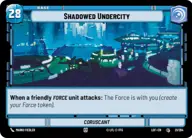
Shadowed Undercity

Decklist


Try on ForceTable

Try on Karabast

Print Proxies

Export to TTS

Export to image

Ground units (45)

3 x
2
Karis, We don't like strangers
2 x
2
Nightsister Warrior
3 x
2
Acolyte of the Beyond
3 x
2
Kylo Ren, I know your story
3 x
2
Secretive Sage
1 x
3
Oggdo Bogdo, Bogano Brute
1 x
3
Grand Inquisitor, You're right to be afraid
2 x
3
Jedi in Hiding
1 x
4
Darth Tyranus, Servant of Sidious
3 x
4
Talzin's Assassin
2 x
4
Chirrut Îmwe, Blind, but not Deaf
2 x
5
Old Daka, Oldest and Wisest
1 x
5
Asajj Ventress, Harden your Heart
1 x
6
Darth Vader, Twilight of the Apprentice
1 x
8
Count Dooku, Fallen Jedi

Space units (9)

2 x
2
Strikeship
1 x
4
Scimitar, Sith Infiltrator
1 x
5
Graceful Purrgil

Events (18)

1 x
1
Soresu Stance
3 x
1
Sorcerous Blast
1 x
1
Force Lightning
2 x
2
Drain Essence
2 x
2
Force Choke
1 x
4
Shatterpoint

Upgrades (15)

1 x
1
Sith Holocron
1 x
2
Darth Revan's Lightsabers
2 x
3
Darth Maul's Lightsaber
1 x
3
Constructed Lightsaber
2 x
3
Fallen Lightsaber

0 comments

You must be logged in to add comments.

Print Proxies

Here you can choose the format that the proxies should be printed in. Make sure to support your local game store!

Export to TTS

There are multiple ways to export to TTS. Here, we'll explain how they work and how you can use them.

1. Import as TTS object.

Download the JSON file using the following button. Place this file in your TTS Saved Objects folder. After this, you'll be able to spawn your deck in the Components UI.

Download saved object

2. Import within SWU mod.

Within some of the Star Wars Unlimited mods on TTS, you are able to import a deck by using the Deck Builder. You can import your deck by clicking on the buttom below to copy your json and then paste it in the Deck Builder to spawn your deck.

Copy to clipboard