Congratulations. You are being rescued

By Anonymous

Normal Deck

0

$40.61

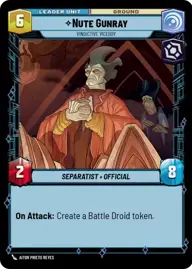
Nute Gunray, Vindictive Viceroy

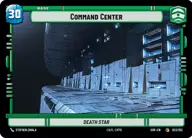
Command Center

Decklist


Try on ForceTable

Try on Karabast

Print Proxies

Export to TTS

Export to image

Ground units (39)

3 x
1
Warrior Drone
2 x
2
Rune Haako, Scheming Second
1 x
2
Poggle the Lesser, Archduke of the Stalgasin Hive
2 x
2
Aggrieved Parliamentarian
1 x
3
Battle Droid Escort
2 x
3
Nute Gunray, Escaping Justice
1 x
3
General Grievous, Trophy Collector
2 x
4
Darth Tyranus, Servant of Sidious
2 x
5
Patrolling AAT
2 x
7
Count Dooku, Darth Tyrannus
2 x
7
Multi-Troop Transport
1 x
8
Darth Sidious, The Phantom Menace
1 x
9
Battle Droid Legion

Space units (21)

3 x
1
Droid Starfighter
2 x
3
Trade Federation Shuttle
2 x
6
Trident Assault Ship
2 x
7
Cantwell Arrestor Cruiser
1 x
8
Providence Destroyer
1 x
9
Vuutun Palaa, Droid Control Ship
1 x
9
Malevolence, Grievous's Secret Weapon

Events (12)

1 x
1
Tactical Advantage
2 x
5
Overwhelming Barrage
2 x
5
Death by Droids
2 x
8
Superlaser Blast

Upgrades (12)

3 x
1
Roger Roger
3 x
2
Hardpoint Heavy Blaster
2 x
2
Academy Training
1 x
4
The Darksaber

0 comments

You must be logged in to add comments.

Print Proxies

Here you can choose the format that the proxies should be printed in. Make sure to support your local game store!

Export to TTS

There are multiple ways to export to TTS. Here, we'll explain how they work and how you can use them.

1. Import as TTS object.

Download the JSON file using the following button. Place this file in your TTS Saved Objects folder. After this, you'll be able to spawn your deck in the Components UI.

Download saved object

2. Import within SWU mod.

Within some of the Star Wars Unlimited mods on TTS, you are able to import a deck by using the Deck Builder. You can import your deck by clicking on the buttom below to copy your json and then paste it in the Deck Builder to spawn your deck.

Copy to clipboard