ani-can

By SuperLaorJyn

Normal Deck

0

$97.35

Anakin Skywalker, Tempted by the Dark Side
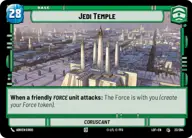
Jedi Temple

Decklist


Try on ForceTable

Try on Karabast

Print Proxies

Export to TTS

Export to image

Ground units (21)

3 x
2
Gungi, Finding Himself
3 x
2
Jar Jar Binks, Mesa Propose...
3 x
3
Obi-Wan Kenobi, Protective Padawan
3 x
3
Ahsoka Tano, I Learned It From You
3 x
5
Aayla Secura, Master of the Blade
3 x
7
Kelleran Beq, The Sabered Hand
3 x
8
Yoda, My Ally is the Force

Space units (12)

3 x
2
Phoenix Squadron A-Wing
3 x
3
Blue Leader, Scarif Air Support
3 x
4
Bright Hope, The Last Transport
3 x
4
Naboo Royal Starship, Fit For A Queen

Events (12)

3 x
1
Force Lightning
3 x
3
Power of the Dark Side
3 x
5
Overwhelming Barrage
3 x
6
Palpatine's Return

Upgrades (6)

2 x
2
Yoda's Lightsaber
3 x
3
General's Blade

0 comments

You must be logged in to add comments.

Print Proxies

Here you can choose the format that the proxies should be printed in. Make sure to support your local game store!

Export to TTS

There are multiple ways to export to TTS. Here, we'll explain how they work and how you can use them.

1. Import as TTS object.

Download the JSON file using the following button. Place this file in your TTS Saved Objects folder. After this, you'll be able to spawn your deck in the Components UI.

Download saved object

2. Import within SWU mod.

Within some of the Star Wars Unlimited mods on TTS, you are able to import a deck by using the Deck Builder. You can import your deck by clicking on the buttom below to copy your json and then paste it in the Deck Builder to spawn your deck.

Copy to clipboard