Bossk - Blue

By Anonymous

Normal Deck

0

$16.76

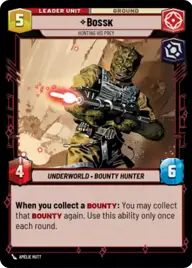
Bossk, Hunting His Prey

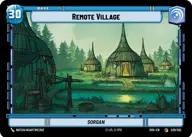
Remote Village

Decklist


Try on ForceTable

Try on Karabast

Print Proxies

Export to TTS

Export to image

Ground units (39)

2 x
1
Bounty Guild Initiate
2 x
2
DRK-1 Probe Droid
3 x
2
Pyke Sentinel
2 x
2
Val, Loyal to the End
1 x
3
Toro Calican, Ambitious Upstart
2 x
3
Outer Rim Outlaws
1 x
3
The Client, Dictated by Discretion
1 x
3
Embo, Stoic and Resolute
1 x
4
Dengar, Crude and Slovenly
1 x
5
IG-11, I cannot be captured
1 x
5
IG-88, Murderous Phlutdroid
3 x
6
Covetous Rivals
1 x
7
Aurra Sing, Crackshot Sniper

Space units (15)

2 x
3
Punishing One, Dengar's Jumpmaster
2 x
3
Black Sun Starfighter
2 x
4
Orbiting K-Wing
2 x
4
Cloaked StarViper
1 x
6
Shadow Caster, Just Business

Events (21)

2 x
1
Covert Strength
1 x
1
Give In to Your Anger
2 x
1
Repair
2 x
1
Desperate Attack
1 x
2
Headhunting
2 x
4
Pillage
2 x
5
Vanquish

Upgrades (15)

3 x
0
Public Enemy
2 x
1
Hotshot DL-44 Blaster
2 x
1
Rich Reward
2 x
2
Death Mark
1 x
2
Brutal Traditions

0 comments

You must be logged in to add comments.

Print Proxies

Here you can choose the format that the proxies should be printed in. Make sure to support your local game store!

Export to TTS

There are multiple ways to export to TTS. Here, we'll explain how they work and how you can use them.

1. Import as TTS object.

Download the JSON file using the following button. Place this file in your TTS Saved Objects folder. After this, you'll be able to spawn your deck in the Components UI.

Download saved object

2. Import within SWU mod.

Within some of the Star Wars Unlimited mods on TTS, you are able to import a deck by using the Deck Builder. You can import your deck by clicking on the buttom below to copy your json and then paste it in the Deck Builder to spawn your deck.

Copy to clipboard