chewy revive

By Anonymous

Normal Deck

0

$37.53

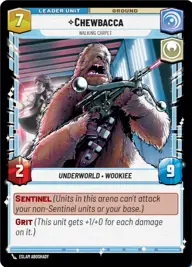
Chewbacca, Walking Carpet

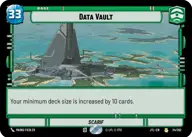
Data Vault

Decklist


Try on ForceTable

Try on Karabast

Print Proxies

Export to TTS

Export to image

Ground units (57)

1 x
1
2-1B Surgical Droid
2 x
2
Battlefield Marine
3 x
3
Yoda, Old Master
3 x
3
Gungan Warrior
2 x
3
Cloud City Wing Guard
2 x
3
Fleet Lieutenant
1 x
3
Wilderness Fighter
2 x
3
Echo Base Defender
1 x
3
Homestead Militia
2 x
4
Kanan Jarrus, Revealed Jedi
2 x
5
Vigilant Honor Guards
1 x
5
Rugged Survivors
1 x
5
Steadfast Battalion
2 x
6
Obi-Wan Kenobi
1 x
6
Cargo Juggernaut
2 x
7
Tarfful, Kashyyyk Chieftain
2 x
7
97th Legion, Keeping the Peace on Sullust
1 x
7
Luke Skywalker, Jedi Knight
1 x
8
Reinforcement Walker

Space units (24)

2 x
2
Restored ARC-170
2 x
2
Patrolling V-Wing
1 x
3
Consortium StarViper
1 x
4
System Patrol Craft
2 x
4
Bright Hope, The Last Transport
1 x
8
The Purrgil King, Leading the Journey
1 x
8
Redemption, Medical Frigate
1 x
8
Home One, Alliance Flagship

Events (18)

2 x
1
Repair
2 x
1
Tactical Advantage
2 x
1
Moment of Peace
3 x
3
Resupply
1 x
3
Attack Pattern Delta
2 x
5
Vanquish

Upgrades (9)

2 x
1
Resilient
1 x
2
Yoda's Lightsaber
2 x
2
Academy Training

0 comments

You must be logged in to add comments.

Print Proxies

Here you can choose the format that the proxies should be printed in. Make sure to support your local game store!

Export to TTS

There are multiple ways to export to TTS. Here, we'll explain how they work and how you can use them.

1. Import as TTS object.

Download the JSON file using the following button. Place this file in your TTS Saved Objects folder. After this, you'll be able to spawn your deck in the Components UI.

Download saved object

2. Import within SWU mod.

Within some of the Star Wars Unlimited mods on TTS, you are able to import a deck by using the Deck Builder. You can import your deck by clicking on the buttom below to copy your json and then paste it in the Deck Builder to spawn your deck.

Copy to clipboard