I trained too hard to be the jedi who I am

By Anonymous

Normal Deck

0

$31.64

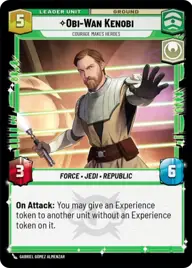
Obi-Wan Kenobi, Courage makes heroes

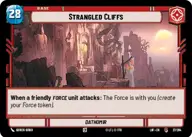
Strangled Cliffs

Decklist


Try on ForceTable

Try on Karabast

Print Proxies

Export to TTS

Export to image

Ground units (33)

3 x
2
Gungi, Finding Himself
3 x
2
Jedi Consular
2 x
3
Jedi Knight
3 x
3
Jedi in Hiding
2 x
3
Obi-Wan Kenobi, Protective Padawan
3 x
4
Eeth Koth, Spiritual Warrior
2 x
4
Jedi Temple Guards
3 x
4
Ki-Adi-Mundi, We must push on
1 x
6
Mace Windu, Leaping into action
1 x
7
Mace Windu, Party Crasher
3 x
8
Cin Drallig, Esteemed Blademaster

Events (18)

3 x
1
The Burden of Masters
3 x
1
Following the Path
2 x
1
Niman Strike
3 x
2
Do or Do Not
2 x
2
Focus Determines Reality
2 x
2
Spark of Hope

Upgrades (15)

2 x
2
Heirloom Lightsaber
3 x
2
Yoda's Lightsaber
2 x
2
Knight's Saber
3 x
2
Kylo Ren's Lightsaber
1 x
2
Mace Windu's Lightsaber

0 comments

You must be logged in to add comments.

Print Proxies

Here you can choose the format that the proxies should be printed in. Make sure to support your local game store!

Export to TTS

There are multiple ways to export to TTS. Here, we'll explain how they work and how you can use them.

1. Import as TTS object.

Download the JSON file using the following button. Place this file in your TTS Saved Objects folder. After this, you'll be able to spawn your deck in the Components UI.

Download saved object

2. Import within SWU mod.

Within some of the Star Wars Unlimited mods on TTS, you are able to import a deck by using the Deck Builder. You can import your deck by clicking on the buttom below to copy your json and then paste it in the Deck Builder to spawn your deck.

Copy to clipboard