prox

By Anonymous

Normal Deck

0

$4.60

Iden Versio, Inferno Squad Commander

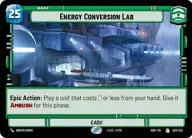
Energy Conversion Lab

Decklist


Try on ForceTable

Try on Karabast

Print Proxies

Export to TTS

Export to image

Ground units (24)

3 x
2
Zam Wesell, Inconspicuous Assassin
3 x
2
Wingman Victor Two, Mauler Mithel
3 x
3
Wroshyr Tree Tender
3 x
3
Wingman Victor Three, Backstabber
3 x
3
Cloud City Wing Guard
3 x
5
General Draven, Doing What Must Be Done
3 x
6
Wing Guard Security Team
2 x
7
Darth Nihilus, Lord Of Hunger

Space units (12)

3 x
2
Patrolling V-Wing
3 x
3
MagnaGuard Wing Leader
3 x
4
Vulture Interceptor Wing
3 x
5
U-Wing Lander

Events (15)

3 x
1
The Eye Of Aldhani
3 x
1
All Wings Report In
3 x
2
Covering the Wing
3 x
3
Knowledge And Defense
3 x
3
With Thunderous Applause

0 comments

You must be logged in to add comments.

Print Proxies

Here you can choose the format that the proxies should be printed in. Make sure to support your local game store!

Export to TTS

There are multiple ways to export to TTS. Here, we'll explain how they work and how you can use them.

1. Import as TTS object.

Download the JSON file using the following button. Place this file in your TTS Saved Objects folder. After this, you'll be able to spawn your deck in the Components UI.

Download saved object

2. Import within SWU mod.

Within some of the Star Wars Unlimited mods on TTS, you are able to import a deck by using the Deck Builder. You can import your deck by clicking on the buttom below to copy your json and then paste it in the Deck Builder to spawn your deck.

Copy to clipboard