This is the way

By jy11

Normal Deck

0

$79.01

Avar Kriss, Marshal of Starlight

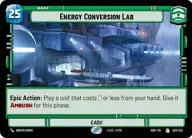
Energy Conversion Lab

Decklist


Try on ForceTable

Try on Karabast

Print Proxies

Export to TTS

Export to image

Ground units (36)

3 x
2
Colonel Yularen, ISB Director
3 x
2
Jedi Consular
2 x
2
Gungi, Finding Himself
3 x
2
Mina Bonteri, Stop This War
3 x
3
Obi-Wan Kenobi, Protective Padawan
2 x
3
Oppo Rancisis, Ancient Councilor
1 x
4
Enterprising Lackeys
3 x
4
Captain Typho, All Necessary Precautions
3 x
5
Chancellor Valorum, Civil Servant
2 x
6
Renowned Dignitaries
1 x
7
Kelleran Beq, The Sabered Hand
3 x
8
Yoda, My Ally is the Force

Space units (15)

2 x
4
Bright Hope, The Last Transport
2 x
5
Consular's Cruiser
3 x
6
Resupply Carrier
2 x
7
Tantive IV, Fleeing the Empire
2 x
8
Home One, Alliance Flagship

Events (12)

3 x
1
Timely Intervention
1 x
2
Trade Route Taxation
3 x
3
Resupply
2 x
4
Command

Upgrades (3)

3 x
5
Traitorous

0 comments

You must be logged in to add comments.

Print Proxies

Here you can choose the format that the proxies should be printed in. Make sure to support your local game store!

Export to TTS

There are multiple ways to export to TTS. Here, we'll explain how they work and how you can use them.

1. Import as TTS object.

Download the JSON file using the following button. Place this file in your TTS Saved Objects folder. After this, you'll be able to spawn your deck in the Components UI.

Download saved object

2. Import within SWU mod.

Within some of the Star Wars Unlimited mods on TTS, you are able to import a deck by using the Deck Builder. You can import your deck by clicking on the buttom below to copy your json and then paste it in the Deck Builder to spawn your deck.

Copy to clipboard