baddie guys

By Anonymous

Normal Deck

0

$12.65

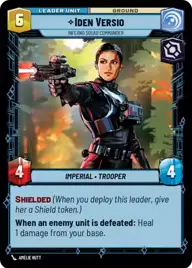
Iden Versio, Inferno Squad Commander

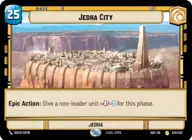
Jedha City

Decklist


Try on ForceTable

Try on Karabast

Print Proxies

Export to TTS

Export to image

Ground units (39)

3 x
1
Dhani Pilgrim
3 x
1
Supreme Council Aide
3 x
2
Desperate Commando
3 x
2
Karis, We don't like strangers
3 x
2
Nightsister Warrior
3 x
2
Regional Governer
2 x
2
Bazine Netal, Spy for the First Order
2 x
3
Shin Hati, Overeager Apprentice
3 x
4
Iden Versio, Adapt or die
3 x
4
Talzin's Assassin
2 x
4
Second Sister, Seeking the Holocron
3 x
5
Vel Sartha, One Path, One Choice
2 x
7
Synara San, Harboring A Secret

Events (12)

3 x
1
Cure Wounds
3 x
1
Soresu Stance
3 x
4
Takedown
3 x
5
Liberated by Darkness

Upgrades (3)

3 x
4
Unshakeable Will

0 comments

You must be logged in to add comments.

Print Proxies

Here you can choose the format that the proxies should be printed in. Make sure to support your local game store!

Export to TTS

There are multiple ways to export to TTS. Here, we'll explain how they work and how you can use them.

1. Import as TTS object.

Download the JSON file using the following button. Place this file in your TTS Saved Objects folder. After this, you'll be able to spawn your deck in the Components UI.

Download saved object

2. Import within SWU mod.

Within some of the Star Wars Unlimited mods on TTS, you are able to import a deck by using the Deck Builder. You can import your deck by clicking on the buttom below to copy your json and then paste it in the Deck Builder to spawn your deck.

Copy to clipboard