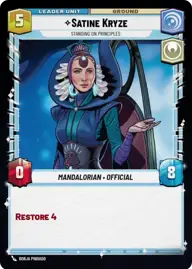
Appetite for Destruction

By Anonymous

Normal Deck

0

$20.05

Satine Kryze, Standing on Principles
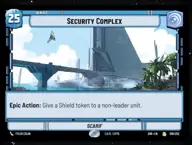
Security Complex

Decklist


Try on ForceTable

Try on Karabast

Print Proxies

Export to TTS

Export to image

Ground units (39)

3 x
2
Mina Bonteri, Stop This War
3 x
2
Jar Jar Binks, Mesa Propose...
3 x
2
Cassian Andor, Lay Low
3 x
2
Warrior Of Clan Ordo
3 x
3
Obi-Wan Kenobi, Protective Padawan
3 x
4
Galen Erso, You'll Never Win
3 x
4
Captain Typho, All Necessary Precautions
3 x
4
Obi-Wan Kenobi, Finding What Doesn't Exist
3 x
5
Queen Amidala, Championing Her People
3 x
5
Corellian Hounds
3 x
6
Cinta Kaz, The Struggle Comes First
3 x
7
Mon Mothma, Clinging To Hope
3 x
9
Bo-Katan Kryze, Alone

Space units (3)

1 x
5
The Marauder, Shuttling the Bad Batch

Events (9)

3 x
2
Trade Route Taxation
3 x
3
Aggressive Negotiations
3 x
7
Hyperspace Disaster

Upgrades (6)

3 x
3
Sudden Ferocity
3 x
4
Unveiled Might

0 comments

You must be logged in to add comments.

Print Proxies

Here you can choose the format that the proxies should be printed in. Make sure to support your local game store!

Export to TTS

There are multiple ways to export to TTS. Here, we'll explain how they work and how you can use them.

1. Import as TTS object.

Download the JSON file using the following button. Place this file in your TTS Saved Objects folder. After this, you'll be able to spawn your deck in the Components UI.

Download saved object

2. Import within SWU mod.

Within some of the Star Wars Unlimited mods on TTS, you are able to import a deck by using the Deck Builder. You can import your deck by clicking on the buttom below to copy your json and then paste it in the Deck Builder to spawn your deck.

Copy to clipboard