Hondo Trash

By Maddog17v

Normal Deck

0

$23.10

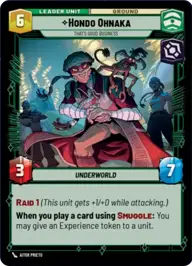
Hondo Ohnaka, That's Good Business

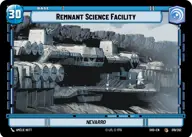
Remnant Science Facility

Decklist


Try on ForceTable

Try on Karabast

Print Proxies

Export to TTS

Export to image

Ground units (51)

3 x
0
Porg
3 x
1
Village Tender
2 x
1
Curious Flock
2 x
1
Indoctrinated Conscript
1 x
1
Sullustan Spacer
1 x
1
Bunker Defender
1 x
2
Privateer Crew
3 x
3
Superlaser Technician
1 x
3
Warbird Stowaway
1 x
3
Oggdo Bogdo, Bogano Brute
2 x
3
Watto, No Money, No Parts, No Deal
2 x
4
Jedi Temple Guards
2 x
4
Perimeter AT-RT
2 x
5
Terentatek
1 x
5
Retrofitted Airspeeder
2 x
6
Pirate Battle Tank
1 x
6
Darth Vader, Twilight of the Apprentice

Space units (36)

1 x
2
Exegol Patroller
1 x
3
Supremacy TIE/sf
1 x
3
Eager Escort Fighter
1 x
3
Omicron Strike Craft
1 x
4
Adept ARC-170
1 x
4
Scimitar, Sith Infiltrator
1 x
4
Clone Combat Squadron
1 x
4
Cloaked StarViper
1 x
5
U-Wing Lander
1 x
5
Munificent Frigate
1 x
6
Hyperspace Wayfarer
1 x
7
Grappling Guardian

Events (18)

1 x
1
Close the Shield Gate
1 x
1
Apology Accepted
2 x
2
Covering the Wing
1 x
4
Fell the Dragon
1 x
4
Protect the Pod
2 x
4
Focus Fire

0 comments

You must be logged in to add comments.

Print Proxies

Here you can choose the format that the proxies should be printed in. Make sure to support your local game store!

Export to TTS

There are multiple ways to export to TTS. Here, we'll explain how they work and how you can use them.

1. Import as TTS object.

Download the JSON file using the following button. Place this file in your TTS Saved Objects folder. After this, you'll be able to spawn your deck in the Components UI.

Download saved object

2. Import within SWU mod.

Within some of the Star Wars Unlimited mods on TTS, you are able to import a deck by using the Deck Builder. You can import your deck by clicking on the buttom below to copy your json and then paste it in the Deck Builder to spawn your deck.

Copy to clipboard