I got a bad feeling about this

By Anonymous

Normal Deck

1

$4.05

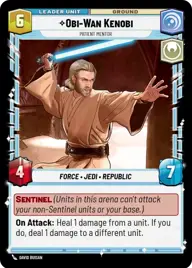
Obi-Wan Kenobi, Patient Mentor

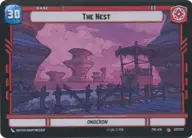
The Nest

Decklist


Try on ForceTable

Try on Karabast

Print Proxies

Export to TTS

Export to image

Ground units (42)

2 x
1
Compassionate Senator
2 x
1
Warrior Drone
1 x
1
Disaffected Senator
3 x
1
Soldier of the 501st
1 x
2
Kashyyk Defender
2 x
3
Bold Recon Commando
1 x
3
Batch Brothers
3 x
3
41st Elite Corps
1 x
3
Infantry of the 212th
1 x
3
Captain Typho, Protecting the Senator
3 x
4
Daughter of Dathomir
1 x
6
Saw Gerrera, Resistance is not Terrorism
3 x
6
Knight of the Republic
2 x
9
The Zillo Beast, Awoken from the Depths

Space units (18)

1 x
2
Padawan Starfighter
1 x
2
Anakin's Interceptor, Where the Fun Begins
3 x
3
Reckless Torrent
3 x
5
Eta-2 Light Interceptor
1 x
5
Obi-Wan's Aethersprite, This is why I hate flying
2 x
5
Senatorial Corvette

Events (12)

3 x
1
Daring Raid
3 x
2
Grenade Strike
3 x
2
Grievous Reassembly
2 x
5
Vanquish

Upgrades (6)

2 x
1
Old Access Codes
1 x
4
Unshakeable Will

0 comments

You must be logged in to add comments.

Print Proxies

Here you can choose the format that the proxies should be printed in. Make sure to support your local game store!

Export to TTS

There are multiple ways to export to TTS. Here, we'll explain how they work and how you can use them.

1. Import as TTS object.

Download the JSON file using the following button. Place this file in your TTS Saved Objects folder. After this, you'll be able to spawn your deck in the Components UI.

Download saved object

2. Import within SWU mod.

Within some of the Star Wars Unlimited mods on TTS, you are able to import a deck by using the Deck Builder. You can import your deck by clicking on the buttom below to copy your json and then paste it in the Deck Builder to spawn your deck.

Copy to clipboard