GI Data Vault

By Anonymous

Normal Deck

0

$56.03

Grand Inquisitor, Stories travel quickly
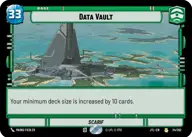
Data Vault

Decklist


Try on ForceTable

Try on Karabast

Print Proxies

Export to TTS

Export to image

Ground units (39)

3 x
1
Greedo, Slow on the Draw
3 x
2
Doctor Evazan, Wanted on Twelve Systems
3 x
2
Aurra Sing, Patient and Deadly
3 x
2
General Grievous, Scuttling To Safety
3 x
3
Guerilla Soldier
3 x
3
Nihil Marauder
3 x
3
Knight of Ren
3 x
3
Shin Hati, Overeager Apprentice
3 x
3
Chancellor Palpatine, I Am The Senate
3 x
4
Rush Clovis, Banking Clan Scion
3 x
5
Vel Sartha, One Path, One Choice
3 x
5
Cruel Commandos
3 x
6
Marchion Ro, Eye of the Nihil

Space units (9)

3 x
2
Zygerrian Starhopper
3 x
3
Lurking TIE Phantom
3 x
3
Stolen AT-Hauler

Events (3)

3 x
2
Surprise Strike

Upgrades (9)

3 x
3
Frozen in Carbonite
3 x
3
General's Blade
3 x
5
Craving Power

0 comments

You must be logged in to add comments.

Print Proxies

Here you can choose the format that the proxies should be printed in. Make sure to support your local game store!

Export to TTS

There are multiple ways to export to TTS. Here, we'll explain how they work and how you can use them.

1. Import as TTS object.

Download the JSON file using the following button. Place this file in your TTS Saved Objects folder. After this, you'll be able to spawn your deck in the Components UI.

Download saved object

2. Import within SWU mod.

Within some of the Star Wars Unlimited mods on TTS, you are able to import a deck by using the Deck Builder. You can import your deck by clicking on the buttom below to copy your json and then paste it in the Deck Builder to spawn your deck.

Copy to clipboard