I’m a big deal in the resistance

By Anonymous

Normal Deck

0

$33.51

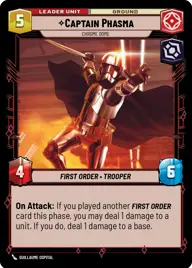
Captain Phasma, Chrome Dome

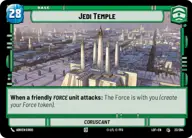
Jedi Temple

Decklist


Try on ForceTable

Try on Karabast

Print Proxies

Export to TTS

Export to image

Ground units (30)

3 x
1
Supreme Council Aide
3 x
1
First Order Stormtrooper
3 x
2
Kylo Ren, I know your story
3 x
2
General Hux, No Terms, No Surrender
1 x
2
Allegiant General Pryde, Ruthless and Loyal
2 x
3
Sith Trooper
3 x
5
FN Trooper Corps
3 x
5
Captain Phasma, On My Command
2 x
6
Cinta Kaz, The Struggle Comes First
3 x
6
Kylo Ren, Killing the Past

Space units (21)

3 x
1
First Order TIE Fighter
3 x
2
Exegol Patroller
1 x
2
Special Forces TIE Fighter
3 x
2
Kylo's TIE Silencer, Ruthlessly Efficient
3 x
3
Vonreg's TIE Interceptor, Ace of the First Order
3 x
3
TIE Dagger Vanguard
1 x
11
Finalizer, Might of the First Order

Upgrades (9)

1 x
2
Twin Laser Turret
3 x
3
Sudden Ferocity
3 x
4
Unveiled Might

0 comments

You must be logged in to add comments.

Print Proxies

Here you can choose the format that the proxies should be printed in. Make sure to support your local game store!

Export to TTS

There are multiple ways to export to TTS. Here, we'll explain how they work and how you can use them.

1. Import as TTS object.

Download the JSON file using the following button. Place this file in your TTS Saved Objects folder. After this, you'll be able to spawn your deck in the Components UI.

Download saved object

2. Import within SWU mod.

Within some of the Star Wars Unlimited mods on TTS, you are able to import a deck by using the Deck Builder. You can import your deck by clicking on the buttom below to copy your json and then paste it in the Deck Builder to spawn your deck.

Copy to clipboard