I got a bad feeling abo

By pteropta

Normal Deck

0

$47.15

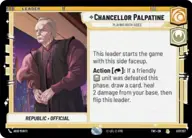
Chancellor Palpatine, Playing Both Sides
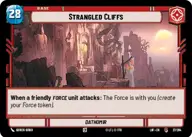
Strangled Cliffs

Decklist


Try on ForceTable

Try on Karabast

Print Proxies

Export to TTS

Export to image

Ground units (42)

3 x
2
Youngling Padawan
2 x
2
Mysterious Hermit
3 x
2
Loth-Cat
3 x
2
Sabine Wren, Explosives Artist
3 x
2
Grogu, Irresistible
3 x
3
Ahsoka Tano, Always ready for trouble
2 x
3
Vernestra Rwoh, Precocious Knight
2 x
3
Ezra Bridger, Resourceful Troublemaker
3 x
4
Ahsoka Tano, Chasing Whispers
3 x
4
Darth Tyranus, Servant of Sidious
2 x
5
Baylan Skoll, Enigmatic Master
1 x
6
Mace Windu, Leaping into action
1 x
7
Mace Windu, Party Crasher
1 x
8
Count Dooku, Fallen Jedi

Space units (3)

1 x
7
Tranquility, Inspiring Flagship

Events (18)

2 x
1
Shoot First
2 x
1
Shien Flurry
2 x
2
Force Choke
3 x
2
No Good to Me Dead
2 x
2
Sneak Attack
3 x
3
Now There Are Two of Them

Upgrades (6)

3 x
1
Ahsoka's Padawan Lightsaber
3 x
3
Frozen in Carbonite

0 comments

You must be logged in to add comments.

Print Proxies

Here you can choose the format that the proxies should be printed in. Make sure to support your local game store!

Export to TTS

There are multiple ways to export to TTS. Here, we'll explain how they work and how you can use them.

1. Import as TTS object.

Download the JSON file using the following button. Place this file in your TTS Saved Objects folder. After this, you'll be able to spawn your deck in the Components UI.

Download saved object

2. Import within SWU mod.

Within some of the Star Wars Unlimited mods on TTS, you are able to import a deck by using the Deck Builder. You can import your deck by clicking on the buttom below to copy your json and then paste it in the Deck Builder to spawn your deck.

Copy to clipboard