Knowledge and Defense

By Anonymous

Normal Deck

0

$35.16

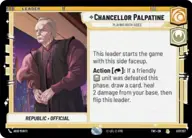
Chancellor Palpatine, Playing Both Sides
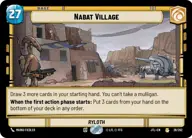
Nabat Village

Decklist


Try on ForceTable

Try on Karabast

Print Proxies

Export to TTS

Export to image

Ground units (66)

2 x
1
332nd Stalwart
2 x
2
Phase I Clone Trooper
2 x
2
R2-D2, Full of solutions
2 x
2
Separatist Commando
2 x
2
Aurra Sing, Patient and Deadly
3 x
3
Republic Commando
1 x
3
Sly Moore, Secretive Advisor
2 x
3
Shin Hati, Overeager Apprentice
2 x
4
Rush Clovis, Banking Clan Scion
2 x
4
Chancellor Palpatine, Wartime Chancellor
2 x
4
Infiltrating Demolisher
2 x
4
Darth Tyranus, Servant of Sidious
2 x
4
Second Sister, Seeking the Holocron
2 x
5
Tactical Droid Commander
1 x
6
San Hill, Chairman of the Banking Clan
2 x
6
Republic Attack Pod
2 x
6
Depa Billaba, a Higher Purpose
2 x
7
Tri-Droid Suppressor
1 x
7
Cad Bane, Hostage Taker
1 x
7
Enfys Nest, Champion of Justice
2 x
7
Qui-Gon Jinn, The negotiations will be short
1 x
8
AT-TE Vanguard

Space units (6)

2 x
3
Elite P-38 Starfighter
2 x
3
J-Type Nubian Starship

Events (9)

2 x
1
Unmasking the Conspiracy
2 x
2
Clear the Field
2 x
3
Merciless Contest

0 comments

You must be logged in to add comments.

Print Proxies

Here you can choose the format that the proxies should be printed in. Make sure to support your local game store!

Export to TTS

There are multiple ways to export to TTS. Here, we'll explain how they work and how you can use them.

1. Import as TTS object.

Download the JSON file using the following button. Place this file in your TTS Saved Objects folder. After this, you'll be able to spawn your deck in the Components UI.

Download saved object

2. Import within SWU mod.

Within some of the Star Wars Unlimited mods on TTS, you are able to import a deck by using the Deck Builder. You can import your deck by clicking on the buttom below to copy your json and then paste it in the Deck Builder to spawn your deck.

Copy to clipboard