Laugh It Up, Fuzzball

By Anonymous

Normal Deck

0

$6.96

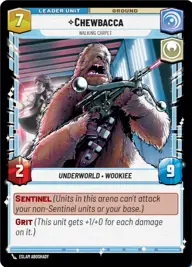
Chewbacca, Walking Carpet

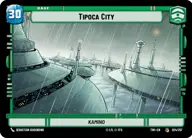
Tipoca City

Decklist


Try on ForceTable

Try on Karabast

Print Proxies

Export to TTS

Export to image

Ground units (39)

3 x
1
Compassionate Senator
3 x
1
Warrior Drone
3 x
2
Echo, Valiant ARC Trooper
3 x
2
Kashyyk Defender
3 x
3
Republic Commando
3 x
3
501st Liberator
2 x
3
Wroshyr Tree Tender
2 x
4
Shaak Ti, Unity Wins Wars
2 x
4
Daughter of Dathomir
2 x
5
B2 Legionnaires
2 x
6
Captain Rex, Lead by Example
2 x
7
Multi-Troop Transport
1 x
9
The Zillo Beast, Awoken from the Depths

Space units (24)

2 x
2
Patrolling V-Wing
2 x
2
Headhunter Squadron
3 x
3
Republic ARC-170
2 x
3
Trade Federation Shuttle
2 x
4
Subjugating Starfighter
2 x
5
Obi-Wan's Aethersprite, This is why I hate flying
2 x
5
Eta-2 Light Interceptor
2 x
11
Republic Defense Carrier

Events (15)

2 x
3
Resupply
2 x
3
Hello There
3 x
4
Drop In
3 x
5
Vanquish
2 x
5
Death by Droids

0 comments

You must be logged in to add comments.

Print Proxies

Here you can choose the format that the proxies should be printed in. Make sure to support your local game store!

Export to TTS

There are multiple ways to export to TTS. Here, we'll explain how they work and how you can use them.

1. Import as TTS object.

Download the JSON file using the following button. Place this file in your TTS Saved Objects folder. After this, you'll be able to spawn your deck in the Components UI.

Download saved object

2. Import within SWU mod.

Within some of the Star Wars Unlimited mods on TTS, you are able to import a deck by using the Deck Builder. You can import your deck by clicking on the buttom below to copy your json and then paste it in the Deck Builder to spawn your deck.

Copy to clipboard