I’m a big deal in the resistance

By Anonymous

Normal Deck

0

$49.94

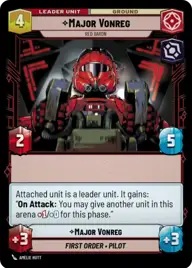
Major Vonreg, Red Baron

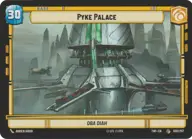
Pyke Palace

Decklist


Try on ForceTable

Try on Karabast

Print Proxies

Export to TTS

Export to image

Ground units (21)

1 x
1
Independent Smuggler
2 x
1
Indoctrinated Conscript
1 x
1
Skyhopper Canyon Runner
2 x
4
Bossk, Hunt By Instinct
2 x
4
Dengar, Crude and Slovenly
1 x
5
The Mandalorian, Weathered Pilot
2 x
6
Darth Vader, Scourge of Squadrons

Space units (54)

2 x
1
Droid Starfighter
1 x
1
Forged Starfighter
2 x
1
A-Wing
3 x
2
TIE Bomber
1 x
2
Strikeship
2 x
2
Zenuas Shadow Fighter
1 x
3
Elite P-38 Starfighter
3 x
3
Sanctioner's Shuttle
1 x
3
Death Space Skirmisher
1 x
3
Banking Clan Shuttle
1 x
3
Lurking Snub Fighter
2 x
4
Imperial Interceptor
2 x
4
Fett's Firespray, Feared Silhouette
2 x
4
Shuttle ST-149, Under Krennic's Authority
1 x
5
The Legacy Run, Doomed Debris
2 x
6
Ruthless Raider
1 x
8
Devastator, Hunting the Rebellion
1 x
8
Fulminatrix, Fleet Killer

Events (15)

2 x
1
Daring Raid
2 x
1
Electromagnetic Pulse
2 x
2
No Good to Me Dead
2 x
3
Waylay
2 x
3
Torpedo Barrage

0 comments

You must be logged in to add comments.

Print Proxies

Here you can choose the format that the proxies should be printed in. Make sure to support your local game store!

Export to TTS

There are multiple ways to export to TTS. Here, we'll explain how they work and how you can use them.

1. Import as TTS object.

Download the JSON file using the following button. Place this file in your TTS Saved Objects folder. After this, you'll be able to spawn your deck in the Components UI.

Download saved object

2. Import within SWU mod.

Within some of the Star Wars Unlimited mods on TTS, you are able to import a deck by using the Deck Builder. You can import your deck by clicking on the buttom below to copy your json and then paste it in the Deck Builder to spawn your deck.

Copy to clipboard