I got a bad feeling about this

By Anonymous

Normal Deck

0

$8.90

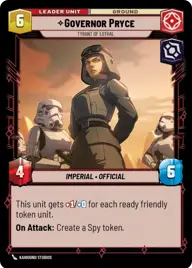
Governor Pryce, Tyrant of Lothal

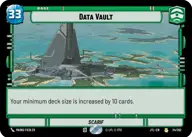
Data Vault

Decklist


Try on ForceTable

Try on Karabast

Print Proxies

Export to TTS

Export to image

Ground units (27)

3 x
2
Poggle the Lesser, Archduke of the Stalgasin Hive
3 x
2
Imperial Occupier
3 x
3
Battle Droid Escort
3 x
3
Chancellor Palpatine, I Am The Senate
3 x
4
General's Guardian
3 x
5
Kraken, Confederate Tactician
2 x
5
Clone Commander Cody, Commanding the 212th
2 x
5
General Draven, Doing What Must Be Done
3 x
6
Dedra Meero, With Verifiable Data

Space units (15)

3 x
2
Confederate Courier
3 x
3
ISB Shuttle
3 x
4
Subjugating Starfighter
2 x
7
The Galleon, Marauding Pirate Ship
2 x
8
The Invisible Hand, Imposing Flagship

Events (21)

3 x
2
Contempt For Culture
3 x
2
Purse The Lead
3 x
2
It's Not Over Yet
3 x
3
Unauthorized Investigation
3 x
4
Renewed Friendship
2 x
4
Ferrix Uprising
3 x
6
I am the Senate

Upgrades (3)

2 x
2
Ambition's Reward

0 comments

You must be logged in to add comments.

Print Proxies

Here you can choose the format that the proxies should be printed in. Make sure to support your local game store!

Export to TTS

There are multiple ways to export to TTS. Here, we'll explain how they work and how you can use them.

1. Import as TTS object.

Download the JSON file using the following button. Place this file in your TTS Saved Objects folder. After this, you'll be able to spawn your deck in the Components UI.

Download saved object

2. Import within SWU mod.

Within some of the Star Wars Unlimited mods on TTS, you are able to import a deck by using the Deck Builder. You can import your deck by clicking on the buttom below to copy your json and then paste it in the Deck Builder to spawn your deck.

Copy to clipboard