Dedicated Cass

By wakamehime

Normal Deck

0

$20.36

Cassian Andor, Dedicated to the Rebellion
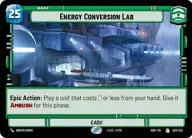
Energy Conversion Lab

Decklist


Try on ForceTable

Try on Karabast

Print Proxies

Export to TTS

Export to image

Ground units (42)

2 x
1
Alliance Dispatcher
3 x
2
Battlefield Marine
2 x
2
Hopeful Volunteer
1 x
2
Jyn Erso, Stardust
1 x
2
Mon Mothma, Voice of the Rebellion
2 x
2
Rebel Pathfinder
2 x
2
Jar Jar Binks, Mesa Propose...
2 x
3
Cassian Andor, Rebellions are built on Hope
2 x
3
Echo Base Defender
1 x
4
General Dodonna, Massassi Group Commander
1 x
4
K-2SO
1 x
4
Saw Gerrera, Extremist
2 x
5
General Draven, Doing What Must Be Done
1 x
6
Cinta Kaz, The Struggle Comes First

Space units (24)

3 x
2
Green Squadron A-Wing
2 x
3
Blue Leader, Scarif Air Support
2 x
3
Red Five, Running the Trench
2 x
3
Red Three, Unstoppable
2 x
4
Bright Hope, The Last Transport
2 x
4
Red Leader, Form Up
2 x
6
Red Squadron Y-Wing
1 x
9
Profundity, We Fight!

Events (18)

2 x
1
Heroic Sacrifice
2 x
1
Rebel Assault
1 x
1
Recruit
2 x
3
Rallying Cry
2 x
3
Resupply
2 x
5
Bombing Run

0 comments

You must be logged in to add comments.

Print Proxies

Here you can choose the format that the proxies should be printed in. Make sure to support your local game store!

Export to TTS

There are multiple ways to export to TTS. Here, we'll explain how they work and how you can use them.

1. Import as TTS object.

Download the JSON file using the following button. Place this file in your TTS Saved Objects folder. After this, you'll be able to spawn your deck in the Components UI.

Download saved object

2. Import within SWU mod.

Within some of the Star Wars Unlimited mods on TTS, you are able to import a deck by using the Deck Builder. You can import your deck by clicking on the buttom below to copy your json and then paste it in the Deck Builder to spawn your deck.

Copy to clipboard