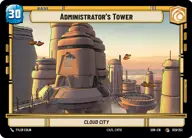
Luke Skywalker | Administrator´s Tower

By Anonymous

Normal Deck

0

$53.03

Luke Skywalker, Faithful Friend

Administrator's Tower

Decklist


Try on ForceTable

Try on Karabast

Print Proxies

Export to TTS

Export to image

Ground units (36)

1 x
1
Chopper, Metal Menace
2 x
2
Guardian of the Whills
2 x
2
Paige Tico, Dropping the Hammer
2 x
2
Hera Syndulla, We've lost enough
2 x
2
Anakin Skywalker, I'll try spinning
2 x
3
Yoda, Old Master
2 x
3
Ezra Bridger, Resourceful Troublemaker
2 x
4
Kanan Jarrus, Revealed Jedi
1 x
4
Ahsoka Tano, Chasing Whispers
2 x
6
Obi-Wan Kenobi
1 x
7
Han Solo
2 x
7
Luke Skywalker, Jedi Knight

Space units (30)

2 x
2
Restored ARC-170
1 x
2
Alliance X-Wing
2 x
2
Resistance X-Wing
2 x
2
Fireball, An Explosion with Wings
1 x
3
Phantom II, Modified to dock
1 x
5
D'Qar Cargo Frigate
1 x
5
The Ghost, Heart of the Family
2 x
6
The Ghost, Spectre Home Base
1 x
7
Tantive IV, Fleeing the Empire
1 x
8
Redemption, Medical Frigate

Events (12)

2 x
1
Shoot First
2 x
2
It Binds All Things
3 x
4
The Force Is With Me
2 x
5
Vanquish

Upgrades (9)

3 x
2
Luke's Lightsaber
2 x
2
Devotion
1 x
3
Jedi Lightsaber

0 comments

You must be logged in to add comments.

Print Proxies

Here you can choose the format that the proxies should be printed in. Make sure to support your local game store!

Export to TTS

There are multiple ways to export to TTS. Here, we'll explain how they work and how you can use them.

1. Import as TTS object.

Download the JSON file using the following button. Place this file in your TTS Saved Objects folder. After this, you'll be able to spawn your deck in the Components UI.

Download saved object

2. Import within SWU mod.

Within some of the Star Wars Unlimited mods on TTS, you are able to import a deck by using the Deck Builder. You can import your deck by clicking on the buttom below to copy your json and then paste it in the Deck Builder to spawn your deck.

Copy to clipboard