Congratulations. You are being rescued

By Dusty_swu

Normal Deck

0

$30.91
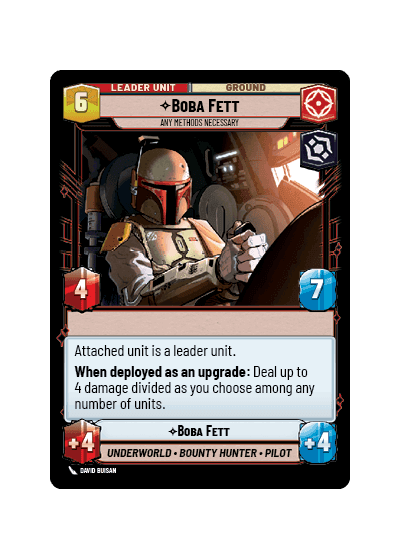
Boba Fett, Any Methods Necessary

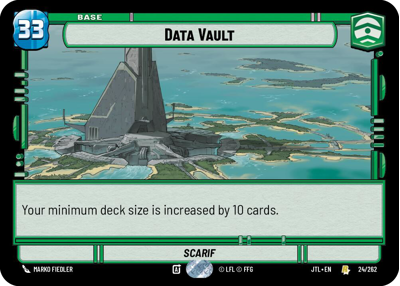
Data Vault

Decklist


Try on ForceTable

Try on Karabast

Print Proxies

Export to TTS

Export to image

Ground units (27)

3 x
1
First Order Stormtrooper
3 x
2
OOM-Series Officer
3 x
2
Gnk Power Droid
2 x
2
Outer Rim Constable
3 x
2
Imperial Dark Trooper
3 x
3
Superlaser Technician
2 x
5
AAT Incinerator
2 x
6
Cinta Kaz, The Struggle Comes First
2 x
8
Emperor Palpatine

Space units (30)

2 x
2
Patrolling V-Wing
3 x
2
TIE Bomber
2 x
2
Scouting Headhunter
3 x
3
TIE Dagger Vanguard
3 x
4
Fett's Firespray, Feared Silhouette
2 x
4
IG-2000, Assassin's Aggressor
3 x
4
Decimator of Dissidents
3 x
4
Heavy Missile Gunship
2 x
6
Ruthless Raider
2 x
6
Resupply Carrier

Events (9)

2 x
2
It's Not Over Yet
2 x
3
Resupply
3 x
5
Overwhelming Barrage

Upgrades (6)

2 x
3
Sudden Ferocity
3 x
4
Heavy Blaster Cannon

0 comments

You must be logged in to add comments.

Print Proxies

Here you can choose the format that the proxies should be printed in. Make sure to support your local game store!

Export to TTS

There are multiple ways to export to TTS. Here, we'll explain how they work and how you can use them.

1. Import as TTS object.

Download the JSON file using the following button. Place this file in your TTS Saved Objects folder. After this, you'll be able to spawn your deck in the Components UI.

Download saved object

2. Import within SWU mod.

Within some of the Star Wars Unlimited mods on TTS, you are able to import a deck by using the Deck Builder. You can import your deck by clicking on the buttom below to copy your json and then paste it in the Deck Builder to spawn your deck.

Copy to clipboard