Never tell me the odds

By Anonymous

Normal Deck

0

$75.47

Satine Kryze, Standing on Principles

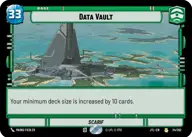
Data Vault

Decklist


Try on ForceTable

Try on Karabast

Print Proxies

Export to TTS

Export to image

Ground units (45)

2 x
1
Moisture Farmer
2 x
1
2-1B Surgical Droid
3 x
2
Chandrilan Sponsor
2 x
2
Bazine Netal, Spy for the First Order
3 x
2
Loth-Wolf
2 x
2
Mina Bonteri, Stop This War
3 x
2
Lobot, Cloud City Coordinator
2 x
3
Yoda, Old Master
3 x
3
Village Protectors
1 x
3
Echo Base Defender
2 x
3
Admiral Akbar, Brilliant Strategist
2 x
4
Satine Kryze, Committed to Peace
1 x
4
Jedi Temple Guards
3 x
4
Baze Malbus, Temple Guardian
2 x
4
Perimeter AT-RT

Space units (6)

3 x
4
Bright Hope, The Last Transport
2 x
5
Coronet, Stately Vessel

Events (33)

2 x
1
Repair
3 x
3
Resupply
3 x
3
Knowledge And Defense
3 x
4
Vigilance
2 x
4
Takedown
1 x
4
Search Your Feelings
2 x
4
Pillage
2 x
5
No glory, only results
3 x
5
Vanquish
2 x
6
Rival's Fall
3 x
8
Superlaser Blast

Upgrades (6)

2 x
2
Entrenched
2 x
3
Perilous Position

0 comments

You must be logged in to add comments.

Print Proxies

Here you can choose the format that the proxies should be printed in. Make sure to support your local game store!

Export to TTS

There are multiple ways to export to TTS. Here, we'll explain how they work and how you can use them.

1. Import as TTS object.

Download the JSON file using the following button. Place this file in your TTS Saved Objects folder. After this, you'll be able to spawn your deck in the Components UI.

Download saved object

2. Import within SWU mod.

Within some of the Star Wars Unlimited mods on TTS, you are able to import a deck by using the Deck Builder. You can import your deck by clicking on the buttom below to copy your json and then paste it in the Deck Builder to spawn your deck.

Copy to clipboard