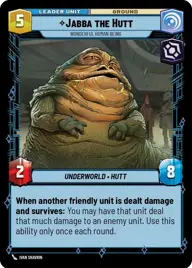
Let go of your hate

By Anonymous

Normal Deck

0

$10.25

Jabba the Hutt, Wonderful human being
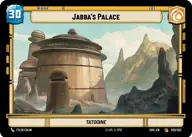
Jabba's Palace

Decklist


Try on ForceTable

Try on Karabast

Print Proxies

Export to TTS

Export to image

Ground units (54)

1 x
2
Lobot, Cloud City Coordinator
3 x
2
Viper Probe Droid
3 x
2
Senate Warden
1 x
2
Secretive Sage
1 x
2
Royal Guard Attaché
3 x
2
X-34 Landspeeder
1 x
3
Calculating MagnaGuard
3 x
3
Death Trooper
1 x
3
Rafa Martez, Shrewd Sister
2 x
3
Cikatro Vizago, Business Is What Matters
2 x
4
Iden Versio, Adapt or die
3 x
4
Rotunda Senate Guards
1 x
5
Vel Sartha, One Path, One Choice
1 x
5
Darth Sion, Lord Of Pain
3 x
5
Nala Se, Chief Medical Scientist
2 x
5
Cad Bane, Impressed Now?
2 x
6
Dogmatic Shock Squad
2 x
7
Pong Krell, It's Treason, then

Space units (21)

3 x
3
Hutt Cartel Starfighter
1 x
3
Soulless One, Swift And Agile
2 x
4
Scimitar, Sith Infiltrator
2 x
5
Banshee, Crippling Command
1 x
5
Devastating Gunship
3 x
6
Corporate Light Cruiser
2 x
7
Radiant VII, Ambassadors' Arrival

Upgrades (3)

1 x
3
Creditor's Claim

0 comments

You must be logged in to add comments.

Print Proxies

Here you can choose the format that the proxies should be printed in. Make sure to support your local game store!

Export to TTS

There are multiple ways to export to TTS. Here, we'll explain how they work and how you can use them.

1. Import as TTS object.

Download the JSON file using the following button. Place this file in your TTS Saved Objects folder. After this, you'll be able to spawn your deck in the Components UI.

Download saved object

2. Import within SWU mod.

Within some of the Star Wars Unlimited mods on TTS, you are able to import a deck by using the Deck Builder. You can import your deck by clicking on the buttom below to copy your json and then paste it in the Deck Builder to spawn your deck.

Copy to clipboard