Facu

By Anonymous

Normal Deck

0

$40.97

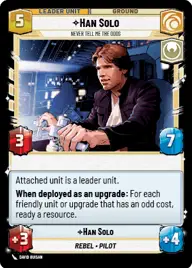
Han Solo, Never Tell Me The Odds

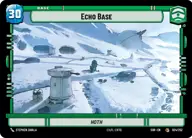
Echo Base

Decklist


Try on ForceTable

Try on Karabast

Print Proxies

Export to TTS

Export to image

Ground units (39)

3 x
1
Clone Deserter
2 x
1
Greedo, Slow on the Draw
1 x
1
Nien Nunb, Loyal Co-Pilot
2 x
1
R2-D2, Artooooooooo!
3 x
1
Dagger Squadron Pilot
1 x
3
Admiral Akbar, Brilliant Strategist
1 x
3
Huyang, Enduring Instructor
2 x
3
Leia Organa, Pilots, To Your Stations
3 x
3
Obi-Wan Kenobi, Protective Padawan
1 x
4
Luke Skywalker, A Hero's Beginning
3 x
5
Chewbacca, Faithful First Mate
1 x
5
Clone Commander Cody, Commanding the 212th
3 x
7
Kelleran Beq, The Sabered Hand

Space units (15)

3 x
1
Cartel Turncoat
3 x
1
Wolf Pack Escort
2 x
3
Blue Leader, Scarif Air Support
1 x
3
Death Space Skirmisher
3 x
3
Millennium Falcon, Get out and push

Events (27)

3 x
1
Tandem Assault
1 x
1
Barrel Roll
1 x
1
Electromagnetic Pulse
1 x
2
Tip the Scale
1 x
2
Sneak Attack
1 x
2
Coordinated Front
3 x
3
Waylay
1 x
3
It's a trap
1 x
5
Commandeer

0 comments

You must be logged in to add comments.

Print Proxies

Here you can choose the format that the proxies should be printed in. Make sure to support your local game store!

Export to TTS

There are multiple ways to export to TTS. Here, we'll explain how they work and how you can use them.

1. Import as TTS object.

Download the JSON file using the following button. Place this file in your TTS Saved Objects folder. After this, you'll be able to spawn your deck in the Components UI.

Download saved object

2. Import within SWU mod.

Within some of the Star Wars Unlimited mods on TTS, you are able to import a deck by using the Deck Builder. You can import your deck by clicking on the buttom below to copy your json and then paste it in the Deck Builder to spawn your deck.

Copy to clipboard