I got a bad feeling about this

By rkluger3

Normal Deck

0

$23.07

Padmé Amidala, What do you have to hide
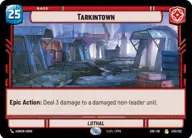
Tarkintown

Decklist


Try on ForceTable

Try on Karabast

Print Proxies

Export to TTS

Export to image

Ground units (36)

3 x
1
Greedo, Slow on the Draw
3 x
2
R2-D2, Full of solutions
3 x
2
Bail Organa, Responding To Catastrophe
3 x
2
Migs Mayfeld, Triggerman
2 x
3
Tech, Source of Insight
1 x
3
Jesse, Hard-Fighting Patriot
2 x
4
Ahsoka Tano, Chasing Whispers
2 x
4
Obi-Wan Kenobi, Finding What Doesn't Exist
1 x
4
K-2SO
2 x
5
Duchess's Investigators
3 x
5
Plo Koon, Koh-To-Yah!
2 x
5
Zorii Bliss, Valiant Smuggler

Space units (21)

3 x
2
Fireball, An Explosion with Wings
3 x
3
Ebon Hawk, Cause And Effect
3 x
3
Sanctioner's Shuttle
2 x
3
Red Five, Running the Trench
2 x
5
Tactical Heavy Bomber
2 x
6
Black One, Scourge of Starkiller Base
2 x
6
Red Squadron Y-Wing

Events (6)

2 x
2
Bamboozle
3 x
3
Waylay

Upgrades (3)

1 x
1
Hotshot DL-44 Blaster

0 comments

You must be logged in to add comments.

Print Proxies

Here you can choose the format that the proxies should be printed in. Make sure to support your local game store!

Export to TTS

There are multiple ways to export to TTS. Here, we'll explain how they work and how you can use them.

1. Import as TTS object.

Download the JSON file using the following button. Place this file in your TTS Saved Objects folder. After this, you'll be able to spawn your deck in the Components UI.

Download saved object

2. Import within SWU mod.

Within some of the Star Wars Unlimited mods on TTS, you are able to import a deck by using the Deck Builder. You can import your deck by clicking on the buttom below to copy your json and then paste it in the Deck Builder to spawn your deck.

Copy to clipboard