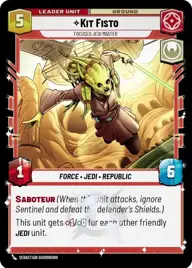
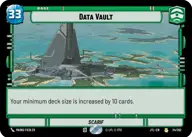
Kit vault

By Anonymous

Normal Deck

0

$67.70

Kit Fisto, Focused Jedi Master

Data Vault

Decklist


Try on ForceTable

Try on Karabast

Print Proxies

Export to TTS

Export to image

Ground units (42)

2 x
2
Gungi, Finding Himself
3 x
2
Karis Nemik, Freedom Is A Pure Idea
3 x
2
Sabine Wren, Explosives Artist
3 x
2
Mina Bonteri, Stop This War
3 x
2
Jar Jar Binks, Foolish Gungan
3 x
3
Cassian Andor, Rebellions are built on Hope
2 x
3
Huyang, Enduring Instructor
3 x
3
Obi-Wan Kenobi, Protective Padawan
3 x
3
Sundari Peacekeeper
1 x
4
Dume, Redeem the Future
1 x
4
Darth Tyranus, Servant of Sidious
3 x
6
Cinta Kaz, The Struggle Comes First
3 x
7
Kelleran Beq, The Sabered Hand
1 x
12
Gor, Grievous's Pet

Space units (18)

3 x
2
Jedi Starfighter
3 x
3
Blue Leader, Scarif Air Support
3 x
3
Red Five, Running the Trench
1 x
4
Kylo Ren's Command Shuttle, Icon Of Authority
1 x
7
First Light, Threatening Elegance
2 x
8
Home One, Alliance Flagship

Events (15)

1 x
1
Emergency Powers
1 x
2
Trade Route Taxation
3 x
2
A Precarious Predicament
1 x
5
No glory, only results
3 x
7
It's Worse

Upgrades (6)

3 x
1
Bounty Hunter's Quarry
1 x
2
Kylo Ren's Lightsaber

0 comments

You must be logged in to add comments.

Print Proxies

Here you can choose the format that the proxies should be printed in. Make sure to support your local game store!

Export to TTS

There are multiple ways to export to TTS. Here, we'll explain how they work and how you can use them.

1. Import as TTS object.

Download the JSON file using the following button. Place this file in your TTS Saved Objects folder. After this, you'll be able to spawn your deck in the Components UI.

Download saved object

2. Import within SWU mod.

Within some of the Star Wars Unlimited mods on TTS, you are able to import a deck by using the Deck Builder. You can import your deck by clicking on the buttom below to copy your json and then paste it in the Deck Builder to spawn your deck.

Copy to clipboard