Anni are you OK

By Fd17

Normal Deck

0

$87.67

Anakin Skywalker, What it takes to win
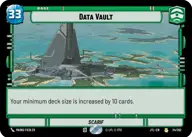
Data Vault

Decklist


Try on ForceTable

Try on Karabast

Print Proxies

Export to TTS

Export to image

Ground units (42)

3 x
2
Dendup's Loyalist
3 x
2
Heroic Renegade
2 x
2
Luke Skywalker, You still with me?
3 x
3
Daro Commando
3 x
3
Advanced Recon Commando
3 x
3
Jesse, Hard-Fighting Patriot
2 x
4
AT-DP Occupier
2 x
4
K-2SO
2 x
5
B2 Legionnaires
2 x
5
Poe Dameron, Quick to Improvise
2 x
5
Chewbacca, Faithful First Mate
1 x
6
Wrecker, BOOM!
2 x
6
Cinta Kaz, The Struggle Comes First
2 x
7
Kelleran Beq, The Sabered Hand

Space units (27)

3 x
2
Mynock
3 x
2
Frontline Shuttle
2 x
3
Red Three, Unstoppable
2 x
3
Sabine's Masterpiece, Crazy Colorful
2 x
4
Naboo Royal Starship, Fit For A Queen
2 x
4
Kihraxz Heavy Fighter
2 x
5
MC30 Assault Frigate
2 x
5
Adelphi Patrol Wing
1 x
8
Home One, Alliance Flagship

Events (12)

3 x
1
They Hate That Ship
2 x
3
Overpower
1 x
3
For A Cause I Believe In
3 x
3
Aggressive Negotiations

Upgrades (3)

2 x
3
Sudden Ferocity

0 comments

You must be logged in to add comments.

Print Proxies

Here you can choose the format that the proxies should be printed in. Make sure to support your local game store!

Export to TTS

There are multiple ways to export to TTS. Here, we'll explain how they work and how you can use them.

1. Import as TTS object.

Download the JSON file using the following button. Place this file in your TTS Saved Objects folder. After this, you'll be able to spawn your deck in the Components UI.

Download saved object

2. Import within SWU mod.

Within some of the Star Wars Unlimited mods on TTS, you are able to import a deck by using the Deck Builder. You can import your deck by clicking on the buttom below to copy your json and then paste it in the Deck Builder to spawn your deck.

Copy to clipboard