The end of the Line

By Anonymous

Normal Deck

0

$9.72

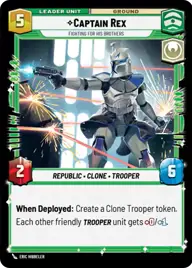
Captain Rex, Fighting for his Brothers
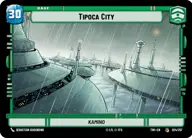
Tipoca City

Decklist


Try on ForceTable

Try on Karabast

Print Proxies

Export to TTS

Export to image

Ground units (33)

1 x
1
Clone Deserter
3 x
1
Vanguard Infantry
2 x
2
Phase I Clone Trooper
1 x
2
Echo, Valiant ARC Trooper
1 x
3
Phase II Clone Trooper
1 x
3
Volunteer Soldier
1 x
3
Tech, Source of Insight
3 x
3
Sundari Peacekeeper
2 x
5
Clone Commander Cody, Commanding the 212th
1 x
5
Sifo-Dyas, Commissioning an army
1 x
8
Reinforcement Walker

Space units (18)

1 x
2
Alliance X-Wing
1 x
2
Patrolling V-Wing
2 x
2
Collections Starhopper
3 x
3
Republic ARC-170
1 x
4
Adept ARC-170
1 x
4
Kihraxz Heavy Fighter

Events (33)

1 x
1
Tactical Advantage
1 x
1
Timely Intervention
1 x
1
Smuggler's Aid
3 x
1
Outflank
3 x
3
Resupply
3 x
3
Strike True
2 x
3
Take Captive
1 x
3
Moment of Glory
2 x
4
Drop In
1 x
4
Rule with Respect
1 x
7
U-Wing Reinforcement

Upgrades (9)

1 x
2
Hardpoint Heavy Blaster
1 x
2
Academy Training
3 x
2
Inspiring Mentor

0 comments

You must be logged in to add comments.

Print Proxies

Here you can choose the format that the proxies should be printed in. Make sure to support your local game store!

Export to TTS

There are multiple ways to export to TTS. Here, we'll explain how they work and how you can use them.

1. Import as TTS object.

Download the JSON file using the following button. Place this file in your TTS Saved Objects folder. After this, you'll be able to spawn your deck in the Components UI.

Download saved object

2. Import within SWU mod.

Within some of the Star Wars Unlimited mods on TTS, you are able to import a deck by using the Deck Builder. You can import your deck by clicking on the buttom below to copy your json and then paste it in the Deck Builder to spawn your deck.

Copy to clipboard