This is the way

By Anonymous

Normal Deck

0

$22.81

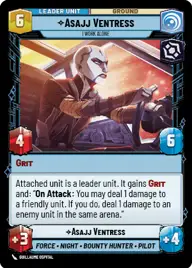
Asajj Ventress, I Work Alone

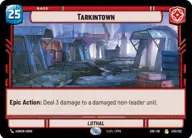
Tarkintown

Decklist


Try on ForceTable

Try on Karabast

Print Proxies

Export to TTS

Export to image

Ground units (36)

3 x
2
Scout Bike Pursuer
3 x
2
Doctor Pershing, Experimenting with Life
3 x
2
Lobot, Cloud City Coordinator
3 x
2
Zam Wesell, Inconspicuous Assassin
3 x
3
Death Trooper
3 x
3
Interceptor Ace
3 x
3
Grand Inquisitor, You're right to be afraid
3 x
4
Dwarf Spider Droid
2 x
4
Iden Versio, Adapt or die
3 x
5
Miraj Scintel, The Weak Deserve To Kneel
2 x
6
War Juggernaut
2 x
7
Pong Krell, It's Treason, then

Space units (9)

2 x
4
Scimitar, Sith Infiltrator
3 x
4
IG-2000, Assassin's Aggressor
2 x
5
Corvus, Inferno Squadron Raider

Events (9)

3 x
1
Fight Fire with Fire
3 x
2
Consumed by the Dark Side
2 x
5
Topple The Summit

Upgrades (3)

2 x
2
Brutal Traditions

0 comments

You must be logged in to add comments.

Print Proxies

Here you can choose the format that the proxies should be printed in. Make sure to support your local game store!

Export to TTS

There are multiple ways to export to TTS. Here, we'll explain how they work and how you can use them.

1. Import as TTS object.

Download the JSON file using the following button. Place this file in your TTS Saved Objects folder. After this, you'll be able to spawn your deck in the Components UI.

Download saved object

2. Import within SWU mod.

Within some of the Star Wars Unlimited mods on TTS, you are able to import a deck by using the Deck Builder. You can import your deck by clicking on the buttom below to copy your json and then paste it in the Deck Builder to spawn your deck.

Copy to clipboard