Obi Wan Post Rotation

By Darthk

Normal Deck

0

$7.63

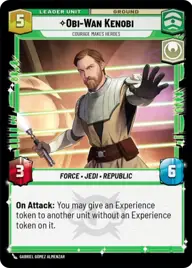
Obi-Wan Kenobi, Courage makes heroes

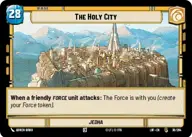
The Holy City

Decklist


Try on ForceTable

Try on Karabast

Print Proxies

Export to TTS

Export to image

Ground units (48)

2 x
1
BD-1, Beep Boo Boo Bweep
3 x
2
Jedi Consular
3 x
2
Youngling Padawan
2 x
2
Mysterious Hermit
1 x
2
Gungi, Finding Himself
1 x
2
Jar Jar Binks, Mesa Propose...
1 x
3
Ahsoka Tano, I Learned It From You
1 x
3
Vernestra Rwoh, Precocious Knight
1 x
3
Maz Kanata, The Light Guides
3 x
3
Jocasta Nu, The Gift of Knowledge
3 x
4
Jedi Temple Guards
3 x
4
Jedi Sentinel
1 x
4
Eeth Koth, Spiritual Warrior
1 x
5
Dagoyan Master
2 x
6
Depa Billaba, a Higher Purpose
2 x
7
Kelleran Beq, The Sabered Hand

Space units (15)

2 x
2
Jedi Vector
2 x
2
N-1 Starfighter
2 x
3
J-Type Nubian Starship
2 x
5
Paladin Training Corvette
1 x
9
The Starhawk, Prototype Battleship

Events (24)

2 x
1
Trust Your Instincts
1 x
1
Niman Strike
1 x
1
Shien Flurry
3 x
1
Accelerate Our Plans
1 x
2
Mind Trick
2 x
2
Three Lessons
2 x
4
Grassroots Resistance
1 x
6
Luminous Beings

Upgrades (6)

1 x
3
Moral Authority
1 x
3
Figure Of Unity

0 comments

You must be logged in to add comments.

Print Proxies

Here you can choose the format that the proxies should be printed in. Make sure to support your local game store!

Export to TTS

There are multiple ways to export to TTS. Here, we'll explain how they work and how you can use them.

1. Import as TTS object.

Download the JSON file using the following button. Place this file in your TTS Saved Objects folder. After this, you'll be able to spawn your deck in the Components UI.

Download saved object

2. Import within SWU mod.

Within some of the Star Wars Unlimited mods on TTS, you are able to import a deck by using the Deck Builder. You can import your deck by clicking on the buttom below to copy your json and then paste it in the Deck Builder to spawn your deck.

Copy to clipboard