Let go of your hate

By fugu

Normal Deck

0

$21.12

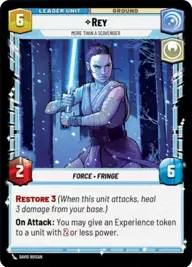
Rey, More Than A Scavenger

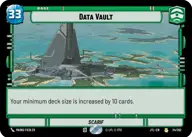
Data Vault

Decklist


Try on ForceTable

Try on Karabast

Print Proxies

Export to TTS

Export to image

Ground units (57)

3 x
1
Clone Deserter
3 x
1
Moisture Farmer
3 x
1
Owen Lars, Devoted Uncle
3 x
1
Village Tender
3 x
1
B2emo, That's Two Lies
3 x
2
Kuil, I have spoken
3 x
2
Yaddle, A chance to make things right
3 x
2
Chandrilan Sponsor
3 x
2
Asp Laborer
3 x
3
Sundari Peacekeeper
3 x
3
Admiral Yularen, Advising Caution
3 x
3
Admiral Yularen, Fleet Coordinator
3 x
3
Gungan Warrior
3 x
3
Senator Chuchi, Voice For The Voiceless
1 x
4
Regional Sympathizers
1 x
4
Daughter of Dathomir
1 x
4
Jedi Temple Guards
1 x
6
Alderaanian Envoys
1 x
7
Tarfful, Kashyyyk Chieftain

Space units (24)

1 x
2
Alliance X-Wing
1 x
2
Restored ARC-170
1 x
3
Consortium StarViper
1 x
3
Twin Pod Cloud Car
3 x
3
Hive Defense Wing
3 x
4
Razor Crest, Reliable Gunship
3 x
4
Adept ARC-170
3 x
5
Eta-2 Light Interceptor

0 comments

You must be logged in to add comments.

Print Proxies

Here you can choose the format that the proxies should be printed in. Make sure to support your local game store!

Export to TTS

There are multiple ways to export to TTS. Here, we'll explain how they work and how you can use them.

1. Import as TTS object.

Download the JSON file using the following button. Place this file in your TTS Saved Objects folder. After this, you'll be able to spawn your deck in the Components UI.

Download saved object

2. Import within SWU mod.

Within some of the Star Wars Unlimited mods on TTS, you are able to import a deck by using the Deck Builder. You can import your deck by clicking on the buttom below to copy your json and then paste it in the Deck Builder to spawn your deck.

Copy to clipboard