Dank farrik

By Anonymous

Normal Deck

0

$150.13

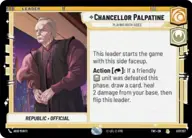
Chancellor Palpatine, Playing Both Sides
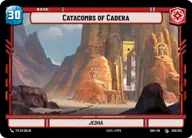
Catacombs of Cadera

Decklist


Try on ForceTable

Try on Karabast

Print Proxies

Export to TTS

Export to image

Ground units (42)

3 x
2
Attuned Fyrnock
3 x
2
Chopper, War Hero
3 x
2
Karis Nemik, Freedom Is A Pure Idea
3 x
2
R2-D2, Full of solutions
3 x
3
Grand Inquisitor, You're right to be afraid
3 x
4
K-2SO
3 x
5
Poe Dameron, Quick to Improvise
2 x
5
Han Solo, Has his moments
2 x
6
Kylo Ren, Killing the Past
2 x
6
Darth Vader, Scourge of Squadrons
2 x
7
Cad Bane, Hostage Taker
2 x
7
Dryden Vos, Offering No Escape
2 x
7
Enfys Nest, Champion of Justice
2 x
9
Krayt Dragon

Space units (18)

2 x
2
Fireball, An Explosion with Wings
3 x
3
Ebon Hawk, Cause And Effect
3 x
3
Lurking TIE Phantom
3 x
4
Shuttle ST-149, Under Krennic's Authority
3 x
5
Lightmaker, I Have An Idea
2 x
9
Home One, On my Mark

Events (12)

2 x
2
No Good to Me Dead
3 x
2
Surprise Strike
2 x
3
Aggressive Negotiations
3 x
3
Waylay

Upgrades (3)

3 x
1
Hotshot DL-44 Blaster

0 comments

You must be logged in to add comments.

Print Proxies

Here you can choose the format that the proxies should be printed in. Make sure to support your local game store!

Export to TTS

There are multiple ways to export to TTS. Here, we'll explain how they work and how you can use them.

1. Import as TTS object.

Download the JSON file using the following button. Place this file in your TTS Saved Objects folder. After this, you'll be able to spawn your deck in the Components UI.

Download saved object

2. Import within SWU mod.

Within some of the Star Wars Unlimited mods on TTS, you are able to import a deck by using the Deck Builder. You can import your deck by clicking on the buttom below to copy your json and then paste it in the Deck Builder to spawn your deck.

Copy to clipboard