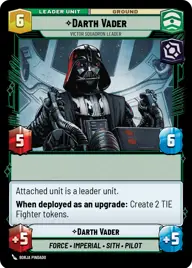
Darth Vader

By Anonymous

Normal Deck

0

$10.89

Darth Vader, Victor Squadron Leader

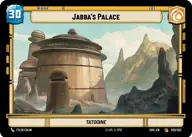
Jabba's Palace

Decklist


Try on ForceTable

Try on Karabast

Print Proxies

Export to TTS

Export to image

Ground units (33)

2 x
2
Snowtrooper Lieutenant
3 x
2
Seasoned Shoretrooper
3 x
2
Incinerator Trooper
3 x
2
X-34 Landspeeder
3 x
3
Superlaser Technician
2 x
3
Cell Block Guard
3 x
3
Phase-III Dark Trooper
1 x
3
Wingman Victor Three, Backstabber
1 x
4
Shadowed Hover Tank
2 x
5
The Mandalorian, Weathered Pilot
2 x
6
Pirate Battle Tank

Space units (36)

1 x
1
First Order TIE Fighter
3 x
2
Outland TIE Vanguard
1 x
2
Privateer Scyk
2 x
2
Zygerrian Starhopper
1 x
2
Kijimi Patrollers
1 x
3
Death Space Skirmisher
1 x
3
ISB Shuttle
1 x
3
Lurking Snub Fighter
1 x
4
Kihraxz Heavy Fighter
1 x
4
TIE Ambush Squadron
1 x
6
Corporate Light Cruiser
2 x
8
Gideon's Light Cruiser, Dark Troopers' Station

Events (15)

1 x
1
Shoot First
1 x
1
I have you now
2 x
1
Electromagnetic Pulse
3 x
3
Resupply
1 x
4
Remnant Reserves

Upgrades (9)

2 x
1
Snapshot Reflexes
1 x
1
Dorsal Turret
2 x
2
Price on Your Head

0 comments

You must be logged in to add comments.

Print Proxies

Here you can choose the format that the proxies should be printed in. Make sure to support your local game store!

Export to TTS

There are multiple ways to export to TTS. Here, we'll explain how they work and how you can use them.

1. Import as TTS object.

Download the JSON file using the following button. Place this file in your TTS Saved Objects folder. After this, you'll be able to spawn your deck in the Components UI.

Download saved object

2. Import within SWU mod.

Within some of the Star Wars Unlimited mods on TTS, you are able to import a deck by using the Deck Builder. You can import your deck by clicking on the buttom below to copy your json and then paste it in the Deck Builder to spawn your deck.

Copy to clipboard