Palpatine Data vault

By Anonymous

Normal Deck

0

$115.47

Chancellor Palpatine, How Liberty Dies
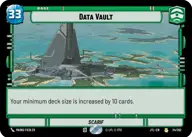
Data Vault

Decklist


Try on ForceTable

Try on Karabast

Print Proxies

Export to TTS

Export to image

Ground units (39)

3 x
1
Corrupt Politician
3 x
2
Jar Jar Binks, Mesa Propose...
3 x
2
Director Krennic, On the Verge of Greatness
3 x
3
Chancellor Palpatine, I Am The Senate
3 x
3
Nute Gunray, Escaping Justice
3 x
4
Sly Moore, Witness To Power
3 x
4
Mas Amedda, Accomplice To Power
2 x
4
Darth Tyranus, Servant of Sidious
3 x
5
Cad Bane, Impressed Now?
2 x
6
Dogmatic Shock Squad
2 x
6
Darth Vader, Twilight of the Apprentice
2 x
6
Dedra Meero, With Verifiable Data
3 x
8
Supreme Leader Snoke, Shadow Ruler

Space units (9)

2 x
7
First Light, Threatening Elegance
3 x
7
Cantwell Arrestor Cruiser
2 x
11
Annihilator, Tagge's Flagship

Events (18)

3 x
1
Emergency Powers
2 x
4
Corporate Warmongering
2 x
5
No glory, only results
1 x
6
I am the Senate
3 x
6
Unity of Purpose
1 x
7
Hyperspace Disaster

Upgrades (6)

3 x
3
Condemn
3 x
5
Craving Power

0 comments

You must be logged in to add comments.

Print Proxies

Here you can choose the format that the proxies should be printed in. Make sure to support your local game store!

Export to TTS

There are multiple ways to export to TTS. Here, we'll explain how they work and how you can use them.

1. Import as TTS object.

Download the JSON file using the following button. Place this file in your TTS Saved Objects folder. After this, you'll be able to spawn your deck in the Components UI.

Download saved object

2. Import within SWU mod.

Within some of the Star Wars Unlimited mods on TTS, you are able to import a deck by using the Deck Builder. You can import your deck by clicking on the buttom below to copy your json and then paste it in the Deck Builder to spawn your deck.

Copy to clipboard