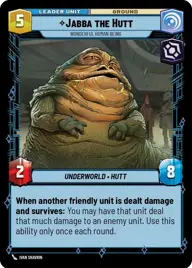
Hutt's up

By dubfrost

Normal Deck

0

$41.76

Jabba the Hutt, Wonderful human being
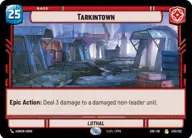
Tarkintown

Decklist


Try on ForceTable

Try on Karabast

Print Proxies

Export to TTS

Export to image

Ground units (42)

2 x
1
2-1B Surgical Droid
3 x
2
Scout Bike Pursuer
3 x
2
Doctor Pershing, Experimenting with Life
3 x
2
Royal Guard Attaché
2 x
2
HK-47, Exclamation: Die, Meatbag!
3 x
2
Lobot, Cloud City Coordinator
2 x
3
Death Trooper
2 x
3
Fifth Brother, Fear Hunter
1 x
3
Death Watch Loyalist
1 x
3
Interceptor Ace
2 x
4
Baze Malbus, Temple Guardian
2 x
5
Saesee Tiin, Courageous Warrior
3 x
6
Academy Defense Walker
1 x
8
The Elite Squad, Neutralizing Insurgents

Space units (27)

2 x
3
Star Wing Scout
3 x
3
Trade Federation Shuttle
3 x
3
Hutt Cartel Starfighter
1 x
4
Scimitar, Sith Infiltrator
1 x
4
Imperial Interceptor
3 x
5
Banshee, Crippling Command
1 x
6
CR90 Relief Runner
3 x
7
First Light, Headquarters of the Crimson Dawn
1 x
8
Fulminatrix, Fleet Killer

Events (12)

2 x
1
Fight Fire with Fire
3 x
2
Force Choke
2 x
2
Last Words
1 x
2
Relief Request

Upgrades (9)

1 x
1
Grim Valor
2 x
2
Entrenched
2 x
2
Electrostaff

0 comments

You must be logged in to add comments.

Print Proxies

Here you can choose the format that the proxies should be printed in. Make sure to support your local game store!

Export to TTS

There are multiple ways to export to TTS. Here, we'll explain how they work and how you can use them.

1. Import as TTS object.

Download the JSON file using the following button. Place this file in your TTS Saved Objects folder. After this, you'll be able to spawn your deck in the Components UI.

Download saved object

2. Import within SWU mod.

Within some of the Star Wars Unlimited mods on TTS, you are able to import a deck by using the Deck Builder. You can import your deck by clicking on the buttom below to copy your json and then paste it in the Deck Builder to spawn your deck.

Copy to clipboard