Recycle the Systems!

By Admiral_Qibli

Normal Deck

0

$17.28

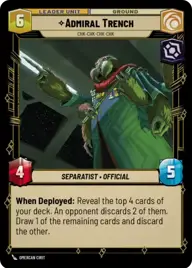
Admiral Trench, CHK-CHK-CHK-CHK

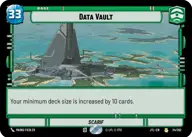
Data Vault

Decklist


Try on ForceTable

Try on Karabast

Print Proxies

Export to TTS

Export to image

Ground units (45)

1 x
1
Vanguard Infantry
3 x
2
Separatist Commando
3 x
2
Jar Jar Binks, Mesa Propose...
3 x
3
Superlaser Technician
2 x
3
Nihil Marauder
3 x
3
Captain Enoch, Captain of the Guard
3 x
3
Chancellor Palpatine, I Am The Senate
2 x
3
Droid Commando
2 x
4
Vice Admiral Rampart, On Schedule
1 x
5
Clone Commander Cody, Commanding the 212th
3 x
5
Cruel Commandos
2 x
6
San Hill, Chairman of the Banking Clan
2 x
7
Fennec Shand, Loyal Sharpshooter
2 x
7
Admiral Trench, Holding the Line
2 x
9
Director Krennic, I Lose Nothing But Time

Space units (12)

2 x
3
Lurking Snub Fighter
2 x
4
Kihraxz Heavy Fighter
3 x
6
Invincible, Naval Adversary
2 x
7
First Light, Threatening Elegance

Events (21)

3 x
2
Surprise Strike
2 x
2
Superheavy Ion Cannon
2 x
3
Reprocess
3 x
3
The Wrong Ride
3 x
4
Remnant Reserves
3 x
5
Overwhelming Barrage
1 x
6
Palpatine's Return

0 comments

You must be logged in to add comments.

Print Proxies

Here you can choose the format that the proxies should be printed in. Make sure to support your local game store!

Export to TTS

There are multiple ways to export to TTS. Here, we'll explain how they work and how you can use them.

1. Import as TTS object.

Download the JSON file using the following button. Place this file in your TTS Saved Objects folder. After this, you'll be able to spawn your deck in the Components UI.

Download saved object

2. Import within SWU mod.

Within some of the Star Wars Unlimited mods on TTS, you are able to import a deck by using the Deck Builder. You can import your deck by clicking on the buttom below to copy your json and then paste it in the Deck Builder to spawn your deck.

Copy to clipboard