Let go of your hate

By Admiral_Qibli

Normal Deck

0

$7.75

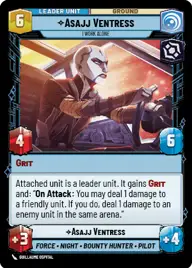
Asajj Ventress, I Work Alone

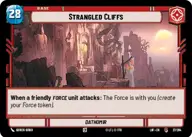
Strangled Cliffs

Decklist


Try on ForceTable

Try on Karabast

Print Proxies

Export to TTS

Export to image

Ground units (45)

2 x
1
Hylobon Enforcer
2 x
1
Dhani Pilgrim
3 x
2
Director Krennic, On the Verge of Greatness
2 x
2
Lost Jedi
3 x
2
Karis, We don't like strangers
2 x
2
Nightsister Warrior
2 x
2
Acolyte of the Beyond
2 x
3
Fifth Brother, Fear Hunter
3 x
3
Jedi in Hiding
2 x
4
Arihnda Pryce, On The Road To Power
3 x
4
Sandtrooper Cavalry
3 x
5
Old Daka, Oldest and Wisest
3 x
6
Savage Opress, Imbued with Hate
2 x
7
Pong Krell, It's Treason, then
2 x
8
The Elite Squad, Neutralizing Insurgents

Space units (12)

2 x
5
Devastating Gunship
3 x
5
Banshee, Crippling Command
2 x
6
Chimaera, Reinforcing the Center
1 x
7
First Light, Headquarters of the Crimson Dawn

Events (3)

3 x
1
Sorcerous Blast

Upgrades (6)

2 x
1
Sith Holocron
1 x
3
Fallen Lightsaber

0 comments

You must be logged in to add comments.

Print Proxies

Here you can choose the format that the proxies should be printed in. Make sure to support your local game store!

Export to TTS

There are multiple ways to export to TTS. Here, we'll explain how they work and how you can use them.

1. Import as TTS object.

Download the JSON file using the following button. Place this file in your TTS Saved Objects folder. After this, you'll be able to spawn your deck in the Components UI.

Download saved object

2. Import within SWU mod.

Within some of the Star Wars Unlimited mods on TTS, you are able to import a deck by using the Deck Builder. You can import your deck by clicking on the buttom below to copy your json and then paste it in the Deck Builder to spawn your deck.

Copy to clipboard