barris Sith temple v1

By Anonymous

Normal Deck

0

$5.39

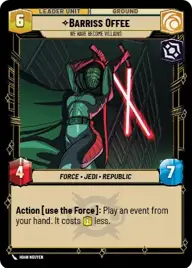
Barriss Offee, We have become villains
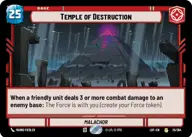
Temple of Destruction

Decklist


Try on ForceTable

Try on Karabast

Print Proxies

Export to TTS

Export to image

Ground units (33)

3 x
2
Viper Probe Droid
2 x
2
Aurra Sing, Patient and Deadly
2 x
3
Captain Tarkin, Full Forward Assault
1 x
3
Hunting Assassin Droid
2 x
4
Hunting Nexu
1 x
4
Ando Commission
1 x
6
Hondo Ohnaka, You Better Hurry
1 x
6
AT-ST
1 x
7
Savage Opress, Monster
1 x
7
Tri-Droid Suppressor
1 x
7
Aurra Sing, Crackshot Sniper

Space units (27)

2 x
1
Screeching Tie Fighter
2 x
2
Pirated Starfighter
3 x
2
Strikeship
1 x
3
Black Sun Starfighter
1 x
3
Confederate Tri-Fighter
2 x
3
Disabling Fang Fighter
2 x
3
Seventh Fleet Defender
1 x
4
Imperial Interceptor
1 x
5
Slaver's Freighter

Events (36)

2 x
1
Impossible Escape
2 x
1
Unleash Rage
1 x
1
As I Have Foreseen
2 x
1
Trust Your Instincts
2 x
2
Do or Do Not
1 x
2
A Precarious Predicament
1 x
2
Power Failure
1 x
2
Catch Unawares
2 x
3
Open Fire
2 x
3
No Bargain
2 x
4
Maximum Firepower
1 x
7
It's Worse

Upgrades (3)

2 x
0
Wanted

0 comments

You must be logged in to add comments.

Print Proxies

Here you can choose the format that the proxies should be printed in. Make sure to support your local game store!

Export to TTS

There are multiple ways to export to TTS. Here, we'll explain how they work and how you can use them.

1. Import as TTS object.

Download the JSON file using the following button. Place this file in your TTS Saved Objects folder. After this, you'll be able to spawn your deck in the Components UI.

Download saved object

2. Import within SWU mod.

Within some of the Star Wars Unlimited mods on TTS, you are able to import a deck by using the Deck Builder. You can import your deck by clicking on the buttom below to copy your json and then paste it in the Deck Builder to spawn your deck.

Copy to clipboard