New Deck

By Anonymous

Normal Deck

0

$50.09

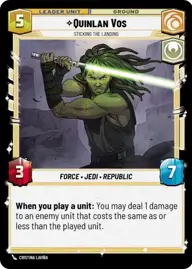
Quinlan Vos, Sticking the Landing

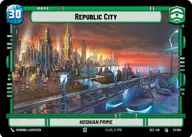
Republic City

Decklist


Try on ForceTable

Try on Karabast

Print Proxies

Export to TTS

Export to image

Ground units (54)

1 x
1
332nd Stalwart
3 x
2
Leia Organa, Defiant Princess
3 x
2
Grogu, Irresistible
2 x
2
Coruscant Guard
2 x
2
Echo, Valiant ARC Trooper
2 x
3
Republic Commando
2 x
4
Ahsoka Tano, Chasing Whispers
3 x
4
Shaak Ti, Unity Wins Wars
1 x
4
Sabine Wren, You can count on me
1 x
4
Hidden Sharpshooter
3 x
5
Aayla Secura, Master of the Blade
2 x
5
Clone Commander Cody, Commanding the 212th
1 x
6
Republic Attack Pod
1 x
6
Armored Saber Tank
1 x
6
Depa Billaba, a Higher Purpose
2 x
7
97th Legion, Keeping the Peace on Sullust
1 x
7
Enfys Nest, Champion of Justice
1 x
8
AT-TE Vanguard

Space units (18)

2 x
1
Wolf Pack Escort
2 x
2
Grey Squadron Y-Wing
2 x
3
Republic ARC-170
1 x
3
Millennium Falcon Piece of Junk
2 x
4
Bright Hope, The Last Transport
1 x
7
Tranquility, Inspiring Flagship

Events (9)

2 x
1
Disarm
3 x
1
Smuggler's Aid
1 x
4
In Defense of Kamino

Upgrades (3)

2 x
2
On Top of Things

0 comments

You must be logged in to add comments.

Print Proxies

Here you can choose the format that the proxies should be printed in. Make sure to support your local game store!

Export to TTS

There are multiple ways to export to TTS. Here, we'll explain how they work and how you can use them.

1. Import as TTS object.

Download the JSON file using the following button. Place this file in your TTS Saved Objects folder. After this, you'll be able to spawn your deck in the Components UI.

Download saved object

2. Import within SWU mod.

Within some of the Star Wars Unlimited mods on TTS, you are able to import a deck by using the Deck Builder. You can import your deck by clicking on the buttom below to copy your json and then paste it in the Deck Builder to spawn your deck.

Copy to clipboard