Knowledge and Defense

By Anonymous

Normal Deck

0

$25.68

Cassian Andor, Dedicated to the Rebellion
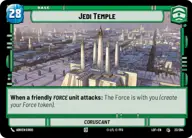
Jedi Temple

Decklist


Try on ForceTable

Try on Karabast

Print Proxies

Export to TTS

Export to image

Ground units (30)

3 x
2
Crosshair, Filled With Doubt
3 x
2
Poggle the Lesser, Archduke of the Stalgasin Hive
2 x
3
Ahsoka Tano, I Learned It From You
3 x
3
Tauntaun
3 x
3
Daro Commando
1 x
4
Cassian Andor, Everything For The Rebellion
1 x
5
Cruel Commandos
1 x
7
Mace Windu, Party Crasher
1 x
7
97th Legion, Keeping the Peace on Sullust
1 x
7
Luke Skywalker, Jedi Knight

Space units (27)

3 x
2
Grey Squadron Y-Wing
1 x
2
TIE Bomber
3 x
2
Kijimi Patrollers
2 x
4
Naboo Royal Starship, Fit For A Queen
2 x
4
Enforcer Squadron
2 x
4
Strike Force X-Wing
2 x
4
Blue Ace, Colorful Racer
1 x
7
Acclamator Assault Ship
1 x
7
Invasion Control Ship

Events (18)

3 x
1
Putting A Team Together
3 x
1
One Way Out
3 x
2
Reconnaissance
3 x
4
Ferrix Uprising
1 x
7
Scramble Fighters
1 x
7
U-Wing Reinforcement

0 comments

You must be logged in to add comments.

Print Proxies

Here you can choose the format that the proxies should be printed in. Make sure to support your local game store!

Export to TTS

There are multiple ways to export to TTS. Here, we'll explain how they work and how you can use them.

1. Import as TTS object.

Download the JSON file using the following button. Place this file in your TTS Saved Objects folder. After this, you'll be able to spawn your deck in the Components UI.

Download saved object

2. Import within SWU mod.

Within some of the Star Wars Unlimited mods on TTS, you are able to import a deck by using the Deck Builder. You can import your deck by clicking on the buttom below to copy your json and then paste it in the Deck Builder to spawn your deck.

Copy to clipboard