This is the way

By Anonymous

Normal Deck

0

$26.30

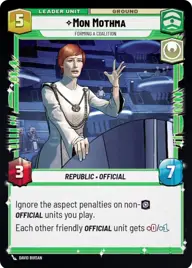
Mon Mothma, Forming a coalition

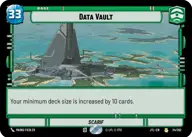
Data Vault

Decklist


Try on ForceTable

Try on Karabast

Print Proxies

Export to TTS

Export to image

Ground units (51)

3 x
1
Rebellious Functionary
3 x
1
Populist Advisor
3 x
2
Jar Jar Binks, Mesa Propose...
3 x
2
Mina Bonteri, Stop This War
3 x
2
High Command Councilor
3 x
2
Outer Rim Constable
3 x
2
Leia Organa, Defiant Princess
3 x
2
Outspoken Representative
3 x
2
Padmé Amidala, Pursuing Peace
3 x
2
Bail Organa, Responding To Catastrophe
3 x
3
Admiral Akbar, Brilliant Strategist
3 x
3
Cobb Vanth, The Marshal
3 x
3
Senator Chuchi, Voice For The Voiceless
3 x
3
Beloved Orator
3 x
5
General Draven, Doing What Must Be Done
3 x
5
Queen Amidala, Championing Her People
3 x
6
Renowned Dignitaries

Events (6)

3 x
3
Attack Pattern Delta
3 x
4
Command

Upgrades (3)

3 x
3
Figure Of Unity

0 comments

You must be logged in to add comments.

Print Proxies

Here you can choose the format that the proxies should be printed in. Make sure to support your local game store!

Export to TTS

There are multiple ways to export to TTS. Here, we'll explain how they work and how you can use them.

1. Import as TTS object.

Download the JSON file using the following button. Place this file in your TTS Saved Objects folder. After this, you'll be able to spawn your deck in the Components UI.

Download saved object

2. Import within SWU mod.

Within some of the Star Wars Unlimited mods on TTS, you are able to import a deck by using the Deck Builder. You can import your deck by clicking on the buttom below to copy your json and then paste it in the Deck Builder to spawn your deck.

Copy to clipboard