I have the high ground!

By Anonymous

Normal Deck

0

$117.38

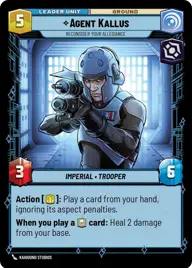
Agent Kallus, Reconsider your allegiance
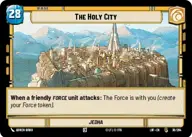
The Holy City

Decklist


Try on ForceTable

Try on Karabast

Print Proxies

Export to TTS

Export to image

Ground units (48)

1 x
2
Karis, We don't like strangers
3 x
2
Aurra Sing, Patient and Deadly
3 x
2
Senate Warden
3 x
2
General Grievous, Scuttling To Safety
3 x
2
Trayus Acolyte
3 x
3
Nihil Marauder
3 x
3
Galen Erso, Destroying His Creation
3 x
4
Talzin's Assassin
3 x
4
Obi-Wan Kenobi, Finding What Doesn't Exist
3 x
5
Hondo Ohnaka, Plays By His Own Rules
3 x
6
Darth Vader, Twilight of the Apprentice
2 x
7
Qui-Gon Jinn, The negotiations will be short
1 x
7
The Son, Embodiment of Darkness
3 x
7
Maul, Master Of The Shadow Collective
2 x
7
Luke Skywalker, Profit Or Be Destroyed
3 x
8
Yoda, My Ally is the Force

Space units (3)

1 x
8
Devastator, Hunting the Rebellion

Events (9)

3 x
5
No glory, only results
1 x
6
Planetary Bombardment
3 x
8
Single Reactor Ignition

0 comments

You must be logged in to add comments.

Print Proxies

Here you can choose the format that the proxies should be printed in. Make sure to support your local game store!

Export to TTS

There are multiple ways to export to TTS. Here, we'll explain how they work and how you can use them.

1. Import as TTS object.

Download the JSON file using the following button. Place this file in your TTS Saved Objects folder. After this, you'll be able to spawn your deck in the Components UI.

Download saved object

2. Import within SWU mod.

Within some of the Star Wars Unlimited mods on TTS, you are able to import a deck by using the Deck Builder. You can import your deck by clicking on the buttom below to copy your json and then paste it in the Deck Builder to spawn your deck.

Copy to clipboard