Knowledge and Defense

By Anonymous

Normal Deck

0

$2.82

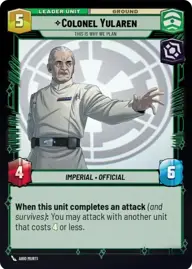
Colonel Yularen, This is why we plan

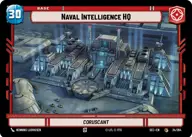
Naval Intelligence HQ

Decklist


Try on ForceTable

Try on Karabast

Print Proxies

Export to TTS

Export to image

Ground units (42)

2 x
1
Bunker Defender
2 x
2
Wingman Victor Two, Mauler Mithel
2 x
2
Crosshair, Filled With Doubt
2 x
2
Outer Rim Constable
2 x
2
Imperial Dark Trooper
2 x
3
Sith Trooper
2 x
3
Knight of Ren
2 x
3
Fallen Jedi
2 x
3
Chancellor Palpatine, I Am The Senate
3 x
3
Daro Commando
2 x
3
Hunting Assassin Droid
2 x
4
Dengar, Crude and Slovenly
2 x
4
Vice Admiral Rampart, On Schedule
2 x
6
Dedra Meero, With Verifiable Data

Space units (21)

2 x
2
Kijimi Patrollers
2 x
2
Supporting Eta-2
2 x
2
Strikeship
2 x
3
Droid Missile Platform
2 x
3
Cartel Interceptor
2 x
3
ISB Shuttle
2 x
4
TIE Ambush Squadron

Events (6)

2 x
1
Tandem Assault
2 x
2
Shoot Down

Upgrades (3)

3 x
2
Ambition's Reward

0 comments

You must be logged in to add comments.

Print Proxies

Here you can choose the format that the proxies should be printed in. Make sure to support your local game store!

Export to TTS

There are multiple ways to export to TTS. Here, we'll explain how they work and how you can use them.

1. Import as TTS object.

Download the JSON file using the following button. Place this file in your TTS Saved Objects folder. After this, you'll be able to spawn your deck in the Components UI.

Download saved object

2. Import within SWU mod.

Within some of the Star Wars Unlimited mods on TTS, you are able to import a deck by using the Deck Builder. You can import your deck by clicking on the buttom below to copy your json and then paste it in the Deck Builder to spawn your deck.

Copy to clipboard