QUIGORANGE

By Anonymous

Normal Deck

0

$27.72

Qui-Gon Jinn, Student of the Living Force
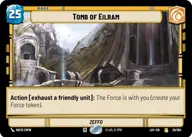
Temple of Eilram

Decklist


Try on ForceTable

Try on Karabast

Print Proxies

Export to TTS

Export to image

Ground units (45)

3 x
2
Youngling Padawan
2 x
2
Junior Senator
3 x
3
Bodhi Rook, Imperial Defector
2 x
3
Vernestra Rwoh, Precocious Knight
2 x
4
Obi-Wan Kenobi, Finding What Doesn't Exist
2 x
4
Chancellor Palpatine, Wartime Chancellor
3 x
4
Ahsoka Tano, Chasing Whispers
3 x
4
Jedi Sentinel
3 x
5
Cantina Bouncer
2 x
5
Plo Koon, Koh-To-Yah!
2 x
6
Enfys Nest, Marauder
2 x
6
Depa Billaba, a Higher Purpose
2 x
7
Han Solo
1 x
7
Enfys Nest, Champion of Justice
1 x
7
Qui-Gon Jinn, The negotiations will be short

Space units (12)

2 x
2
Pirated Starfighter
1 x
4
Kimogila Heavy Fighter
2 x
5
Geonosis Patrol Fighter
1 x
9
Home One, On my Mark

Events (15)

2 x
1
Unmasking the Conspiracy
2 x
2
Sneak Attack
2 x
2
Tip the Scale
1 x
3
Now There Are Two of Them
2 x
4
The Will of the Force

Upgrades (3)

2 x
2
Qui-Gon Jinn's Lightsaber

0 comments

You must be logged in to add comments.

Print Proxies

Here you can choose the format that the proxies should be printed in. Make sure to support your local game store!

Export to TTS

There are multiple ways to export to TTS. Here, we'll explain how they work and how you can use them.

1. Import as TTS object.

Download the JSON file using the following button. Place this file in your TTS Saved Objects folder. After this, you'll be able to spawn your deck in the Components UI.

Download saved object

2. Import within SWU mod.

Within some of the Star Wars Unlimited mods on TTS, you are able to import a deck by using the Deck Builder. You can import your deck by clicking on the buttom below to copy your json and then paste it in the Deck Builder to spawn your deck.

Copy to clipboard